1. Design scope
The design separates three user populations: Client A, Client B, and privileged SOC/MSSP operators. Each customer has a dedicated dashboard tenant; SOC operators have a separate workspace for authorized cross-customer investigation.
The evidence gallery shows directory groups and users, LDAP group lookup, customer dashboards, a Client A cross-customer access test, and the operator tenant list. These screenshots document specific UI results; role configuration and negative-access tests are also required to validate the full authorization path.
2. Architecture overview
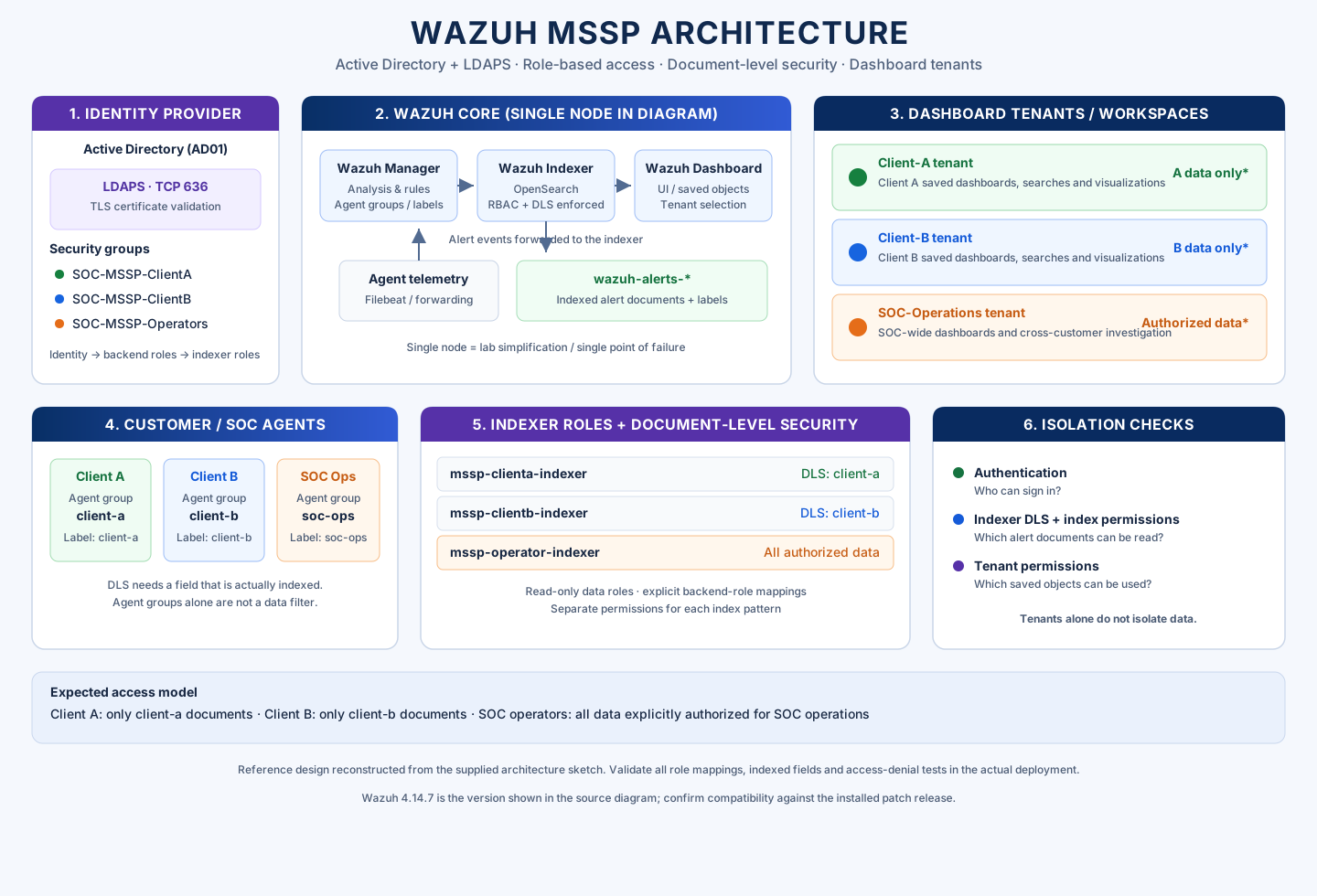
| Component | Responsibility | Important design point |
|---|---|---|
| Active Directory | Central identity store and group membership. | Separate security groups determine expected backend roles. |
| LDAPS | Encrypts directory communication on TCP 636. | Trust the issuing CA and verify the server hostname. |
| Wazuh Manager | Receives agent data, applies decoders/rules and creates alerts. | Customer identity needs to appear consistently in the indexed documents used by filters. |
| Wazuh Indexer (OpenSearch) | Stores and searches alerts and related telemetry. | Index permissions and document-level security enforce which documents a role can query. |
| Wazuh Dashboard | Analyst interface and dashboard objects. | Tenants separate saved objects; they do not replace data authorization. |
| Customer/SOC agents | Provide endpoint telemetry from customer and MSSP environments. | Use consistent groups/labels and verify their indexed representation. |
Deployment caveat: The diagram places Manager, Indexer and Dashboard on a single node. This may be suitable for a compact lab, but it is a single point of failure and does not demonstrate production capacity, resilient storage, disaster recovery or high availability.
3. Access model: identity, data, and workspace
Keep these controls separate: authentication identifies the user; indexer permissions determine which documents the user can read; tenant permissions govern dashboard objects and saved searches. OpenSearch DLS filters read/search results, not writes. Restrict write permissions separately. OpenSearch DLS documentation ↗
| Directory group (example) | Indexer role (example) | Data scope | Dashboard tenant |
|---|---|---|---|
SOC-MSSP-ClientA | mssp_client_a_alerts_read | Alerts labeled Client-A only | client-a |
SOC-MSSP-ClientB | mssp_client_b_alerts_read | Alerts labeled Client-B only | client-b |
SOC-MSSP-Operators | mssp_soc_operators_alerts_read | Customer and SOC data explicitly authorized for operators | soc-operations |
The names in the table are examples; the diagram shows names such as mssp-clienta-indexer. Keep naming consistent across AD groups, backend roles, indexer roles, tenants, and test accounts. Give SOC operator roles only the permissions required for their duties.
4. Configure Active Directory and LDAPS
- Create dedicated groups. Keep Client A, Client B and SOC operator membership separate. Avoid putting customer users into shared administrator groups.
- Use LDAPS. Configure the Wazuh Indexer's LDAP authentication and authorization backends to connect to the AD FQDN on port 636. Trust the correct CA chain and keep hostname verification enabled.
- Use a least-privileged bind account. It needs to read the user/group attributes required for authentication and role lookup, not administer the domain.
- Map group membership into backend roles. The exact
userbase,usersearch,rolebase,rolesearchand group attributes depend on AD schema and nesting. Validate that a test user returns only the expected backend roles. - Map backend roles to indexer roles. A directory group is not automatically an indexer permission. Create explicit mappings and check inherited memberships so a client user cannot receive a broad operator/admin role through another group.
Back up security configuration and keep a rollback path before making changes. Wazuh's LDAP guide covers the indexer authentication (authc) and authorization (authz) blocks, role lookup, backend-role mappings and dashboard role mapping. Follow the procedure for the installed release rather than copying a block from another version unchanged. Wazuh Active Directory and LDAP integration ↗
Check LDAPS connectivity and certificate validation from the Indexer host:
openssl s_client \
  -connect <AD_FQDN>:636 \
  -servername <AD_FQDN> \
  -CAfile <PATH_TO_TRUSTED_AD_CA> \
  -verify_return_error
Replace the placeholders with your environment's values. A successful TCP connection alone is not enough: verify chain validation, hostname matching, DNS and group lookup. Never put the bind password or other secrets in a public GitHub repository.
5. Label customer telemetry
DLS can filter only on fields that exist in indexed documents. Wazuh's documented group-restricted access example uses agent.labels.group for alerts. A centralized agent configuration can add a label like this to a customer's agents:
<agent_config>
  <labels>
    <label key="group">Client-A</label>
  </labels>
</agent_config>
Configure separate labels for Client B and SOC operations. Before creating DLS queries, inspect indexed alert documents and confirm the field path and exact value. New labels apply to new alerts; older documents may not contain them.
An agent-management group name is not automatically the field used by DLS. The indexed label is a separate document attribute. Validate it in Discover, and configure separate filters for monitoring or other indexes because their field schemas may differ.
Official walkthrough: Wazuh RBAC — restrict access to a group of agents ↗
6. Create per-customer indexer roles and DLS filters
For Client A, create a read-only role limited to the required alert index pattern (for example, wazuh-alerts*) and add a DLS query using the value confirmed in Discover. Example:
{
  "bool": {
    "must": [
      {
        "match": {
          "agent.labels.group": "Client-A"
        }
      }
    ]
  }
}
For Client B, use the observed Client-B value. This query is only the DLS condition, not a complete role definition. Configure index patterns, cluster permissions, tenant permissions, and other index permissions separately.
- Grant only required read/search permissions. Do not grant customer roles write, update, delete or broad cluster-admin actions.
- Apply customer scope to every index that may expose customer information. Monitoring or agent-inventory indexes may use a different field path than alert documents.
- Keep the SOC operator role separate. If cross-customer investigation is required, grant it the explicit data scope the SOC is authorized to access; do not reuse this role for customers.
- Review every role assigned to each user. OpenSearch combines DLS queries from multiple roles using OR logic. The setting
plugins.security.dfm_empty_overrides_allcan also change how an unrestricted role interacts with DLS. Check effective role assignments and this setting for the deployed version, then test the resulting permissions.
Reference: Wazuh RBAC guide ↗ · OpenSearch DLS behavior ↗
7. Create dashboard tenants for each audience
Create tenants for Client A, Client B, and SOC operations. Grant each role access only to the required tenant, with read-only or read-write permissions based on job duties. Tenants isolate saved objects such as dashboards, visualizations, and index patterns; they do not isolate alert documents. OpenSearch multi-tenancy overview ↗
Configure the UI layer after the indexer data controls work. A Client A user must still be unable to query Client B documents through Discover, another index pattern, a direct search URL or an API request made with that user's identity. Similarly, placing a SOC dashboard inside the SOC-operations tenant does not prevent Client A from reading SOC documents if indexer permissions are too broad.
8. Test tenant isolation
Test with separate Client A, Client B, and SOC operator accounts. Run each test using the account being evaluated—not only an administrator account. Record both allowed queries and negative cross-customer queries.
| Test account | Expected result | Evidence to capture |
|---|---|---|
| Client A | Can sign in, open the Client A tenant and search Client A-labeled alerts. | Client A dashboard/Discover results showing its label. |
| Client A | Cannot return Client B alerts via a direct search or alternate index pattern. | Negative cross-customer attempt under the Client A test account. |
| Client B | Can read Client B alerts but not Client A alerts. | Client B dashboard and a negative Client A query. |
| SOC operator | Can select the SOC-operations tenant and access only the cross-customer datasets explicitly authorized for SOC. | Available-tenants view and sanitized cross-customer results. |
| All roles | Cannot bypass scope through another saved search, direct URL, index pattern or API search. | Role/DLS configuration plus user-level positive and negative results. |
Record the test date, account role, index pattern, query, expected result, actual result and pass/fail outcome. An empty result or a forbidden response may both be valid denial behavior depending on configuration, but the test must show that another customer's records were not returned.
9. Troubleshooting
- Login works but access is wrong: inspect returned backend roles, role mappings, indexer roles and tenant permissions separately. Successful LDAP authentication does not prove authorization is correct.
- Client A sees no results: inspect an actual alert's source fields. Confirm the DLS field/value, read permission, index pattern and whether the alert contains the label.
- Client A can see Client B: suspend use of the account for normal analysis while investigating. Review every inherited role, look for broad/unfiltered index permissions, inspect DLS on each relevant index and retest cross-customer queries.
- LDAPS group lookup fails: check DNS/FQDN, TCP 636, CA trust, hostname verification, bind-account permissions, search bases, group attributes and nested-group behavior.
- Old alerts do not filter: historical documents may lack newly configured labels. Plan an approved version-appropriate backfill/reindex or document the history gap; do not claim full isolation until old-data paths are addressed.
- Dashboards appear in the wrong tenant: review tenant permissions and which tenant was selected when the saved object was created. Fix the workspace mapping without weakening indexer data isolation.
10. Production hardening checklist
- Use a supported, version-matched Wazuh component set. Review the release notes before upgrading.
- Protect LDAP bind credentials, administrator keys, and certificates. Do not store secrets in the public repository.
- Use trusted LDAPS certificates, verify server names, and restrict network access to the Indexer and management APIs.
- Keep customer roles read-only unless a documented workflow requires more permissions.
- Apply customer-specific DLS conditions to every index pattern that exposes customer information. Confirm the relevant field schema for each index.
- Validate exact label values, historical alerts, nested groups, users who belong to multiple AD groups, and revoked group membership.
- Repeat positive and negative isolation tests after changes to roles, labels, index patterns, configuration, or software versions.
- For production, plan indexer redundancy, backups/snapshots, capacity, monitoring, retention, and recovery. The single-node diagram is a reference layout, not a high-availability design.
11. Evidence gallery
These screenshots are uploaded in assets/images/wazuh-mssp/. Select an image to open it at full size. Captions describe what each screenshot shows and distinguish role mapping from evidence of DLS enforcement.
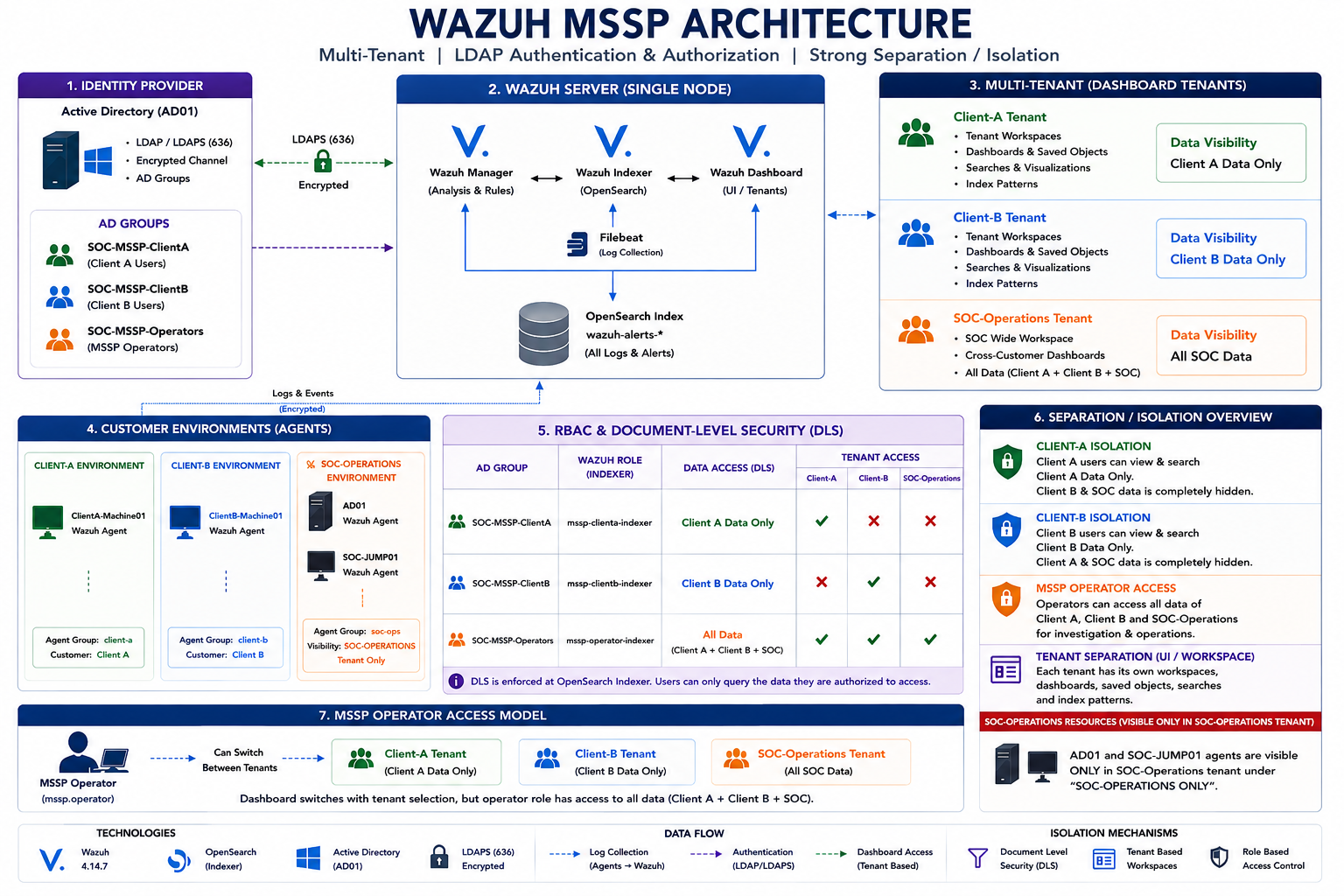
01-wazuh-mssp-architecture-overview.png.png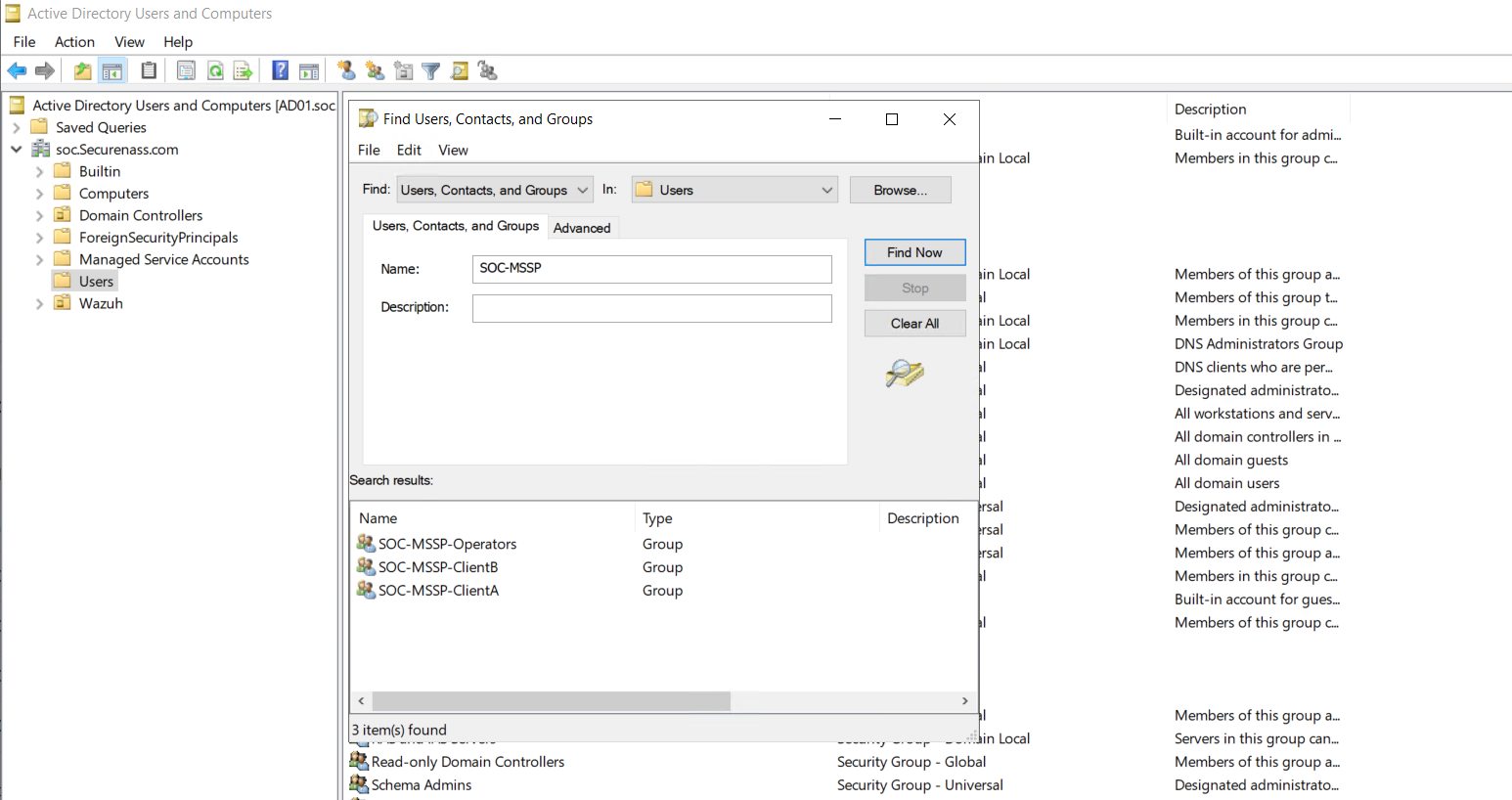
02-active-directory-mssp-security-groups.png.PNG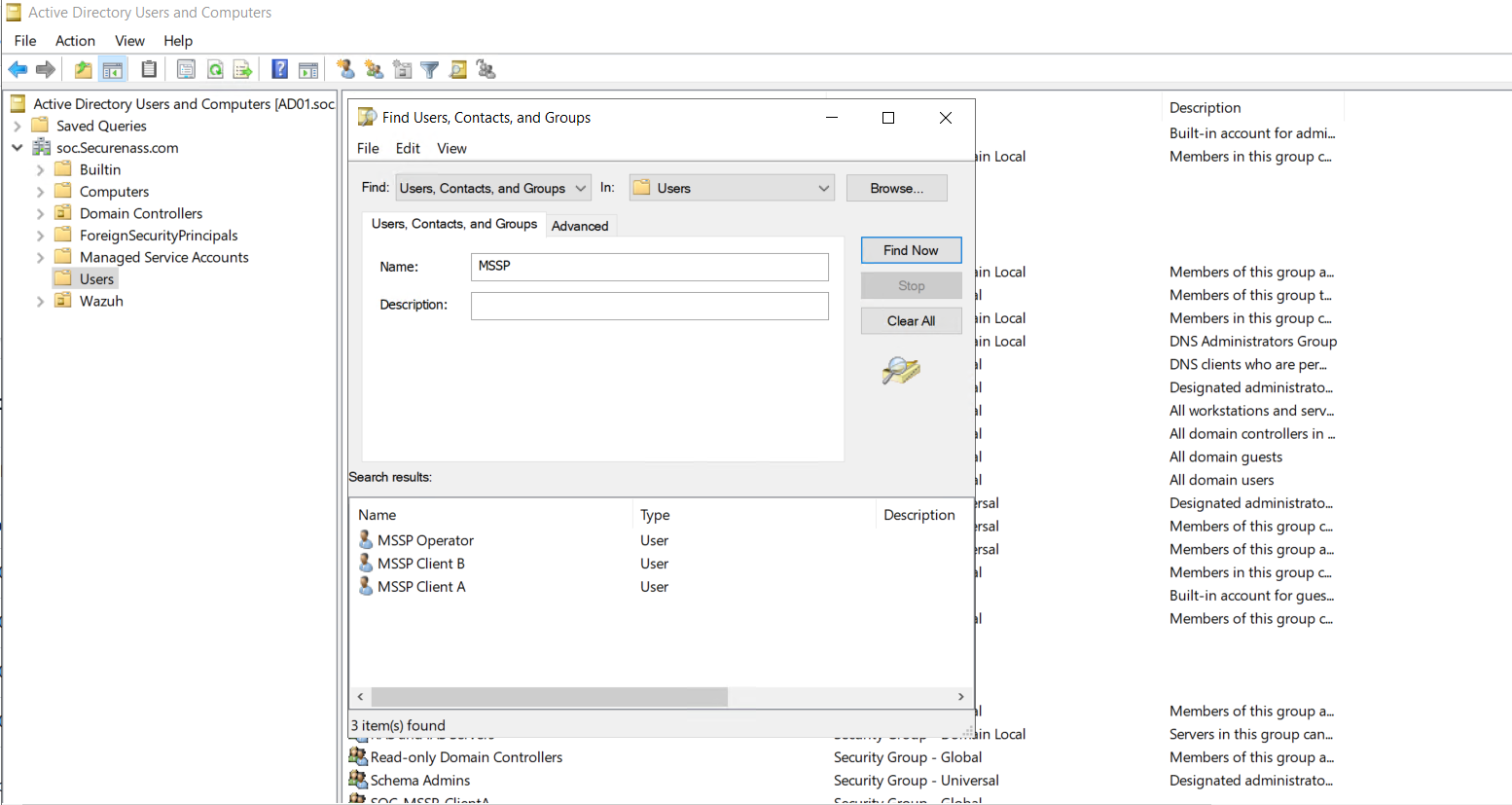
03-active-directory-mssp-test-users.png.PNG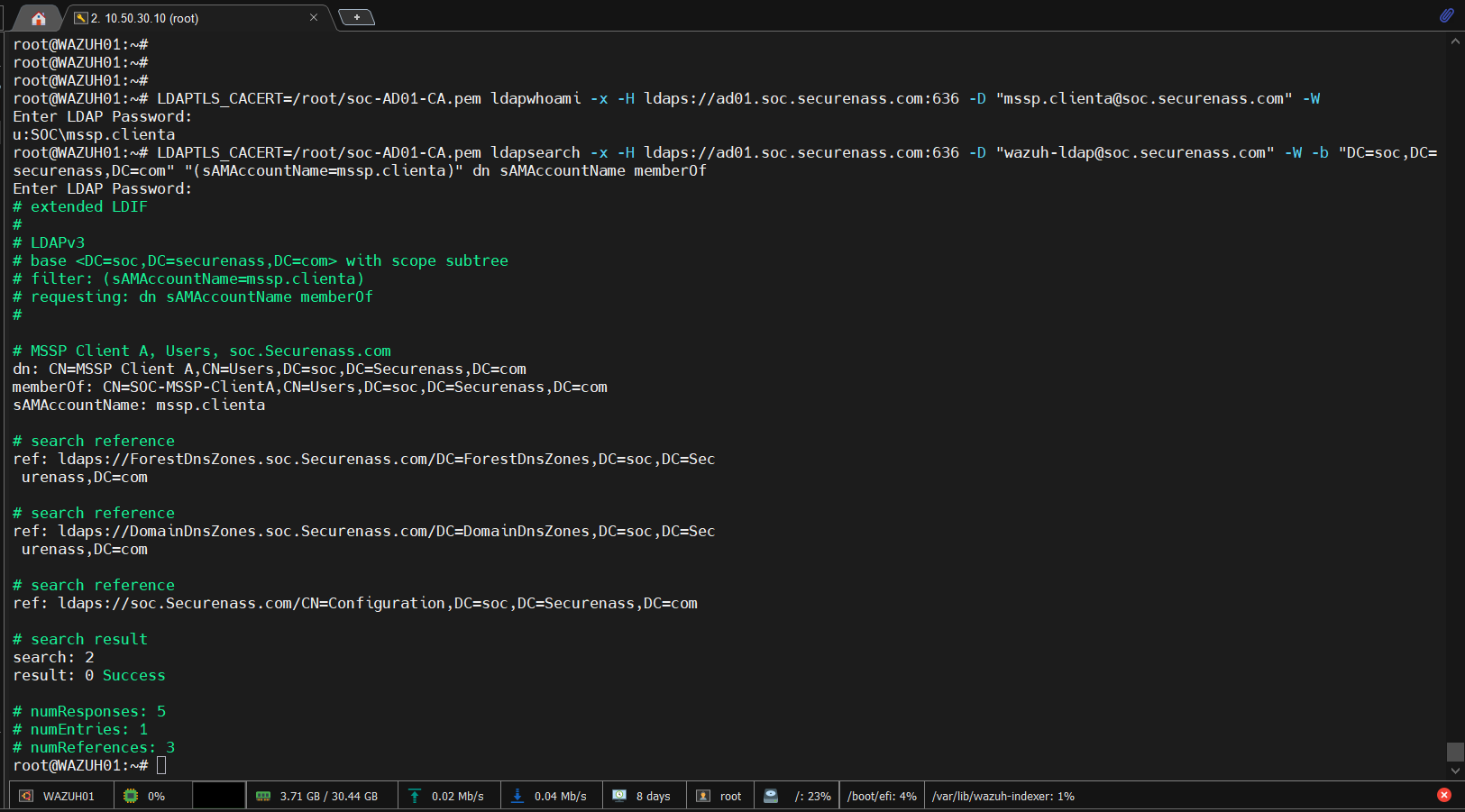
04-wazuh-indexer-ldap-group-lookup.png.PNG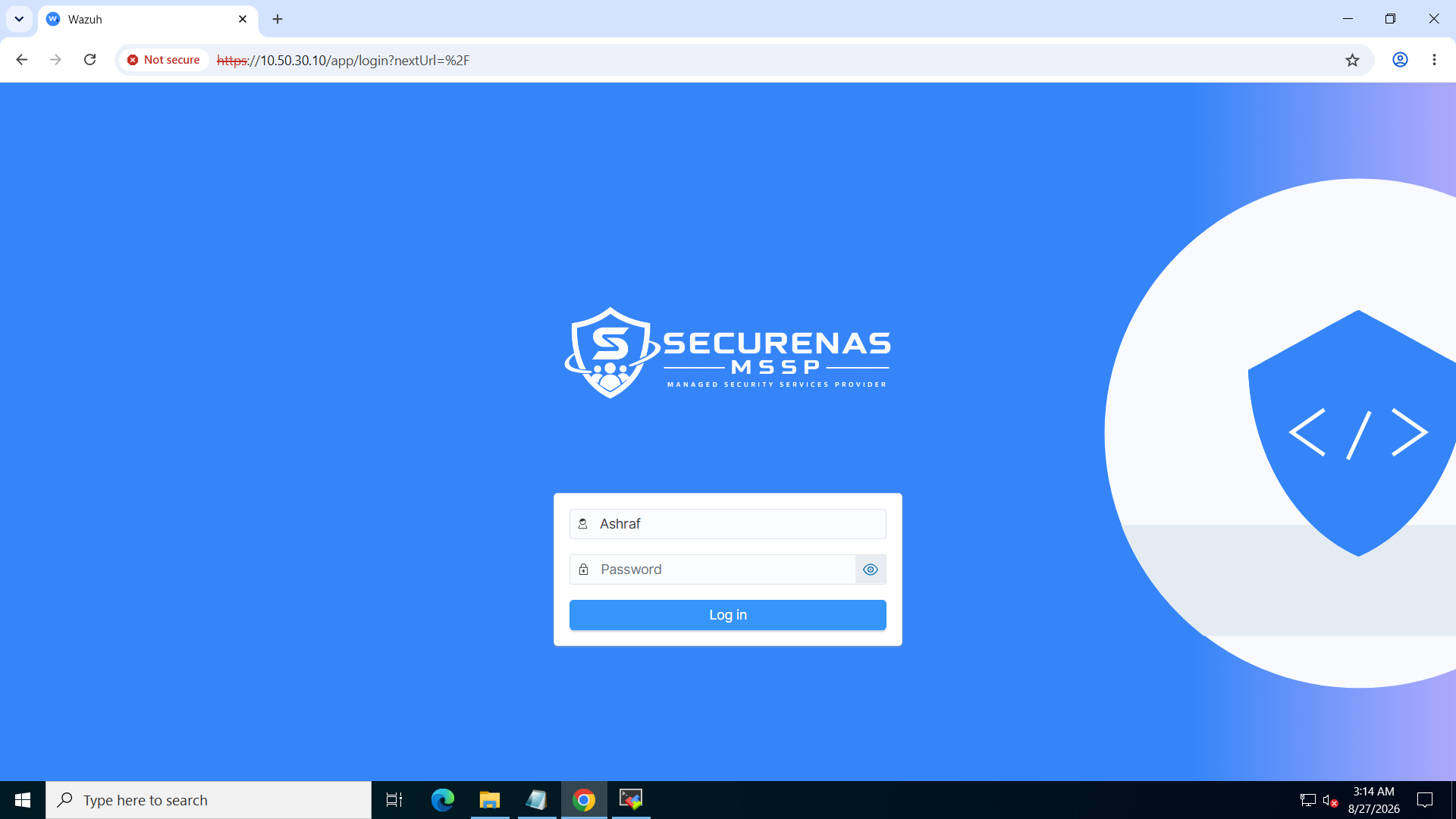
05-wazuh-mssp-login-page.png.PNG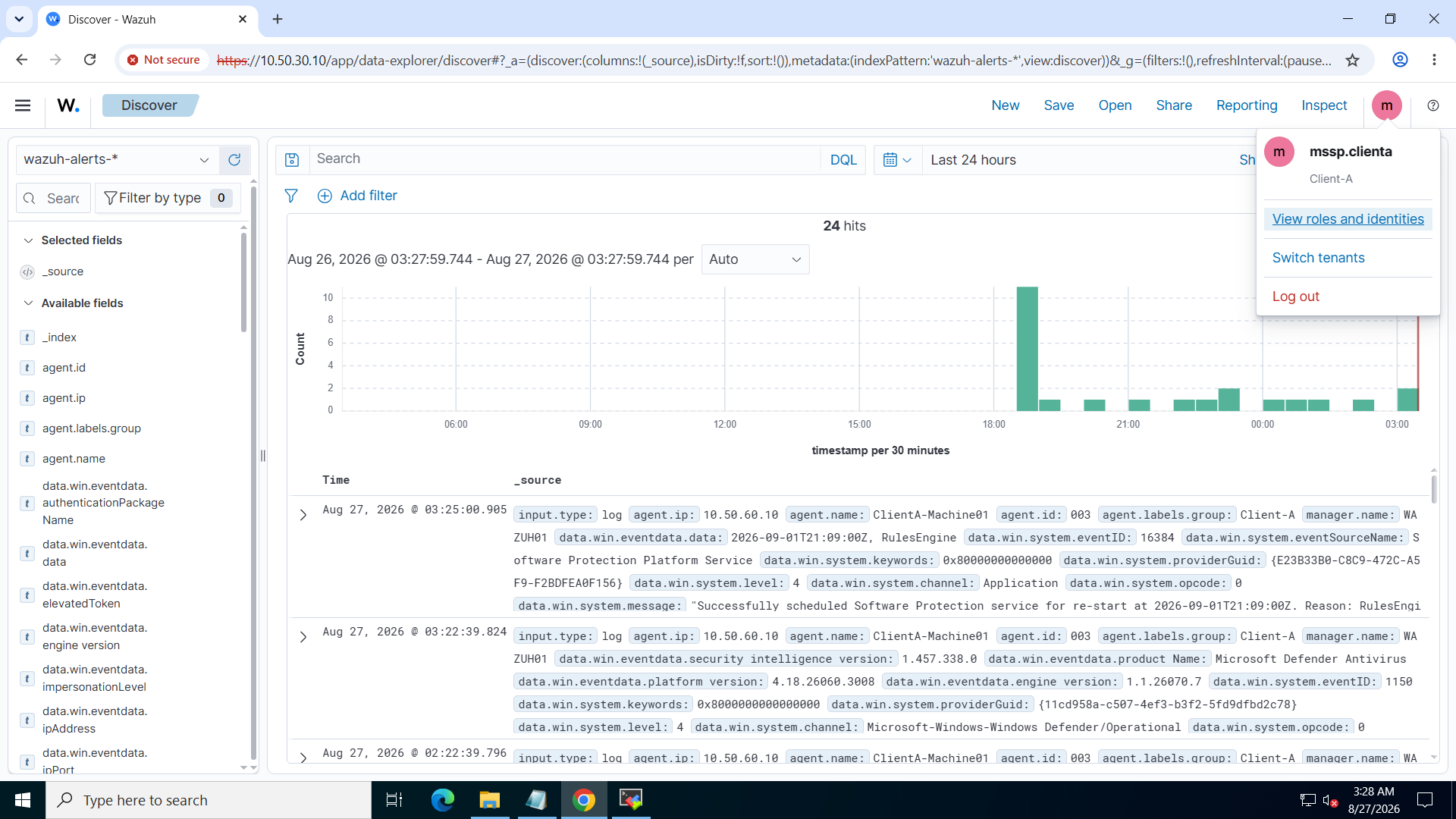
06-wazuh-mssp-client-a-dashboard.png.PNG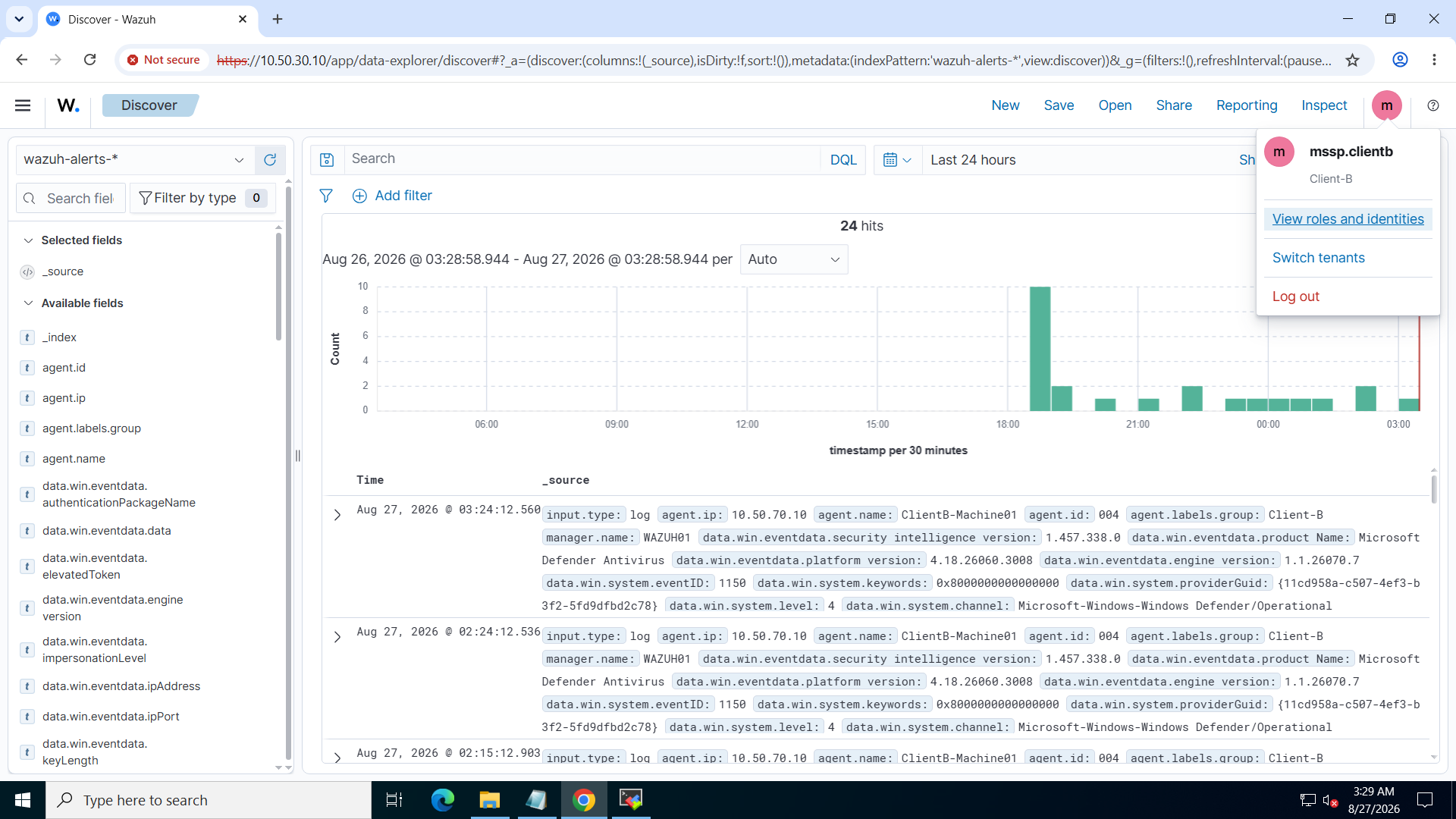
07-wazuh-mssp-client-b-dashboard.png.PNG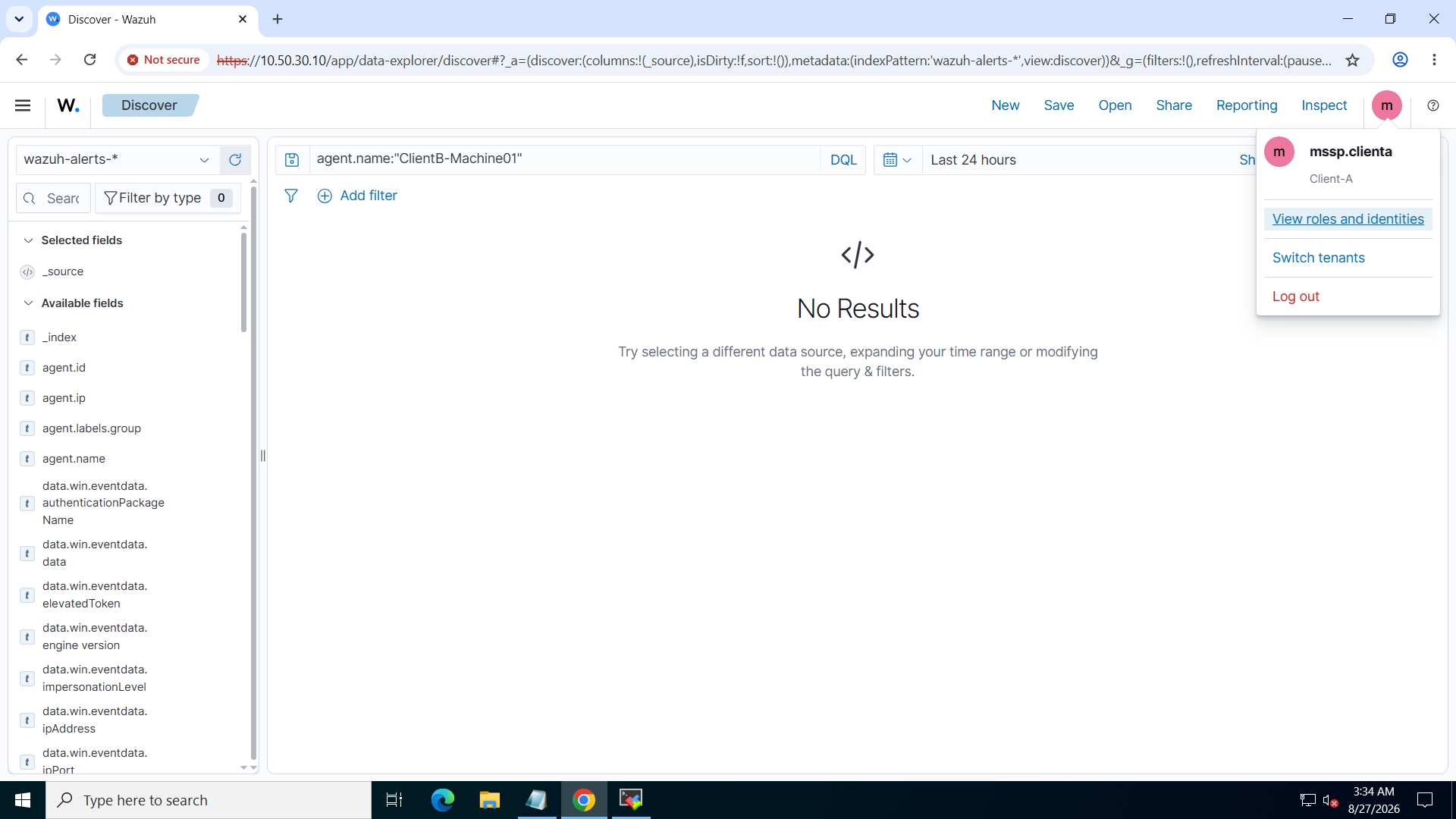
08-wazuh-mssp-client-a-denied-client-b-data.png.PNG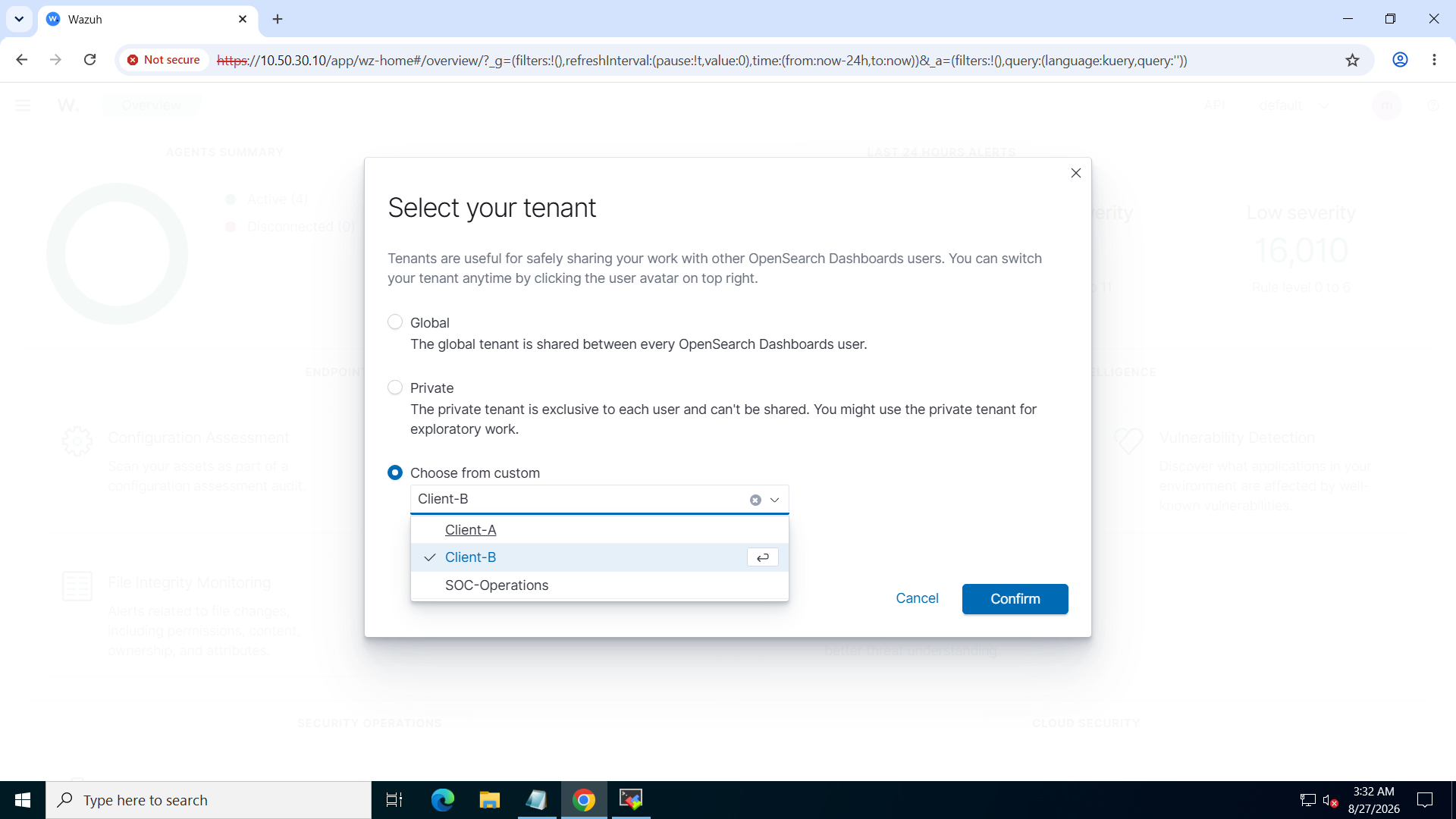
09-wazuh-mssp-operator-available-tenants.png.PNG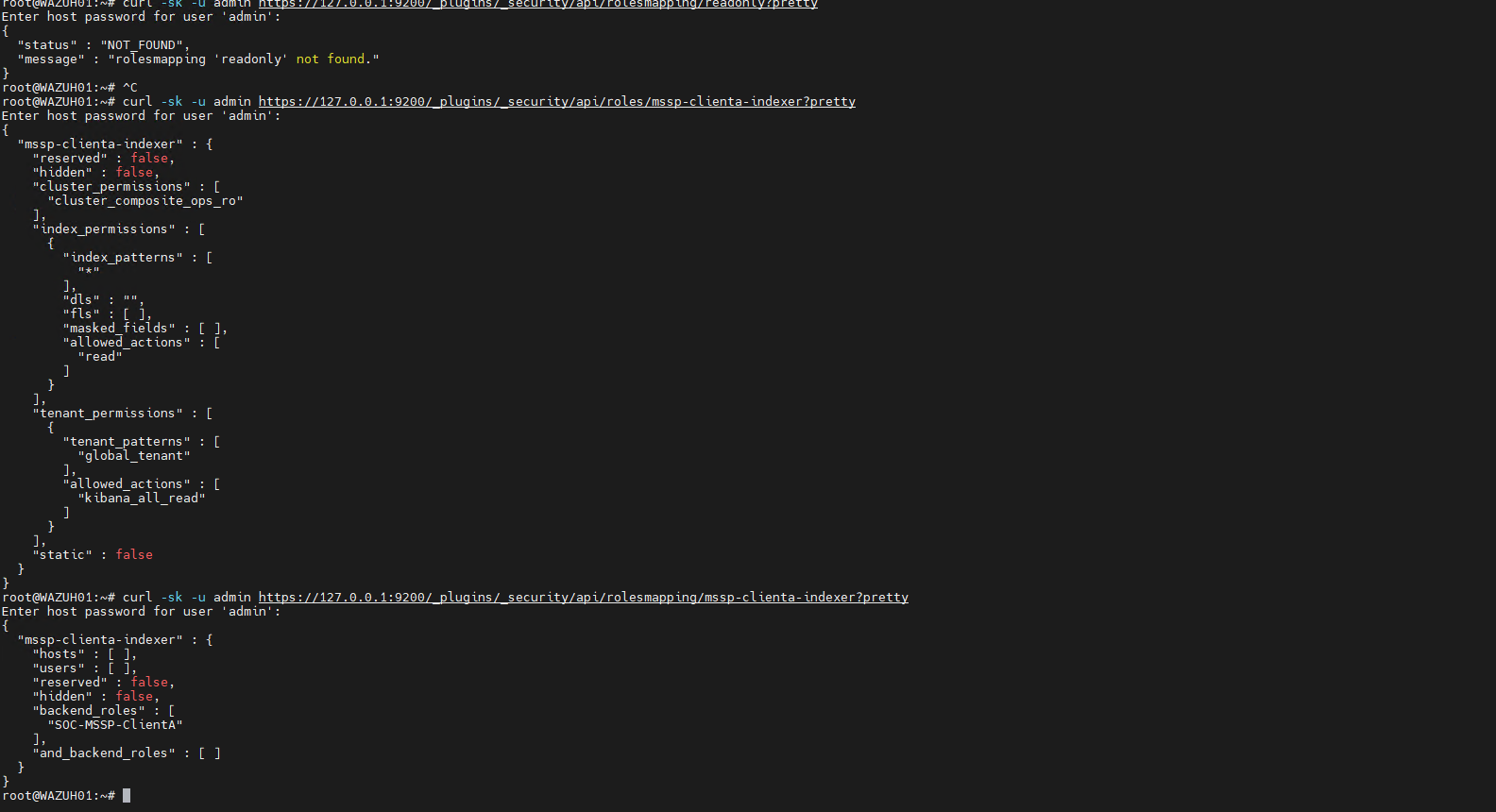
10-wazuh-mssp-indexer-role-and-backend-mapping-client-a.png.png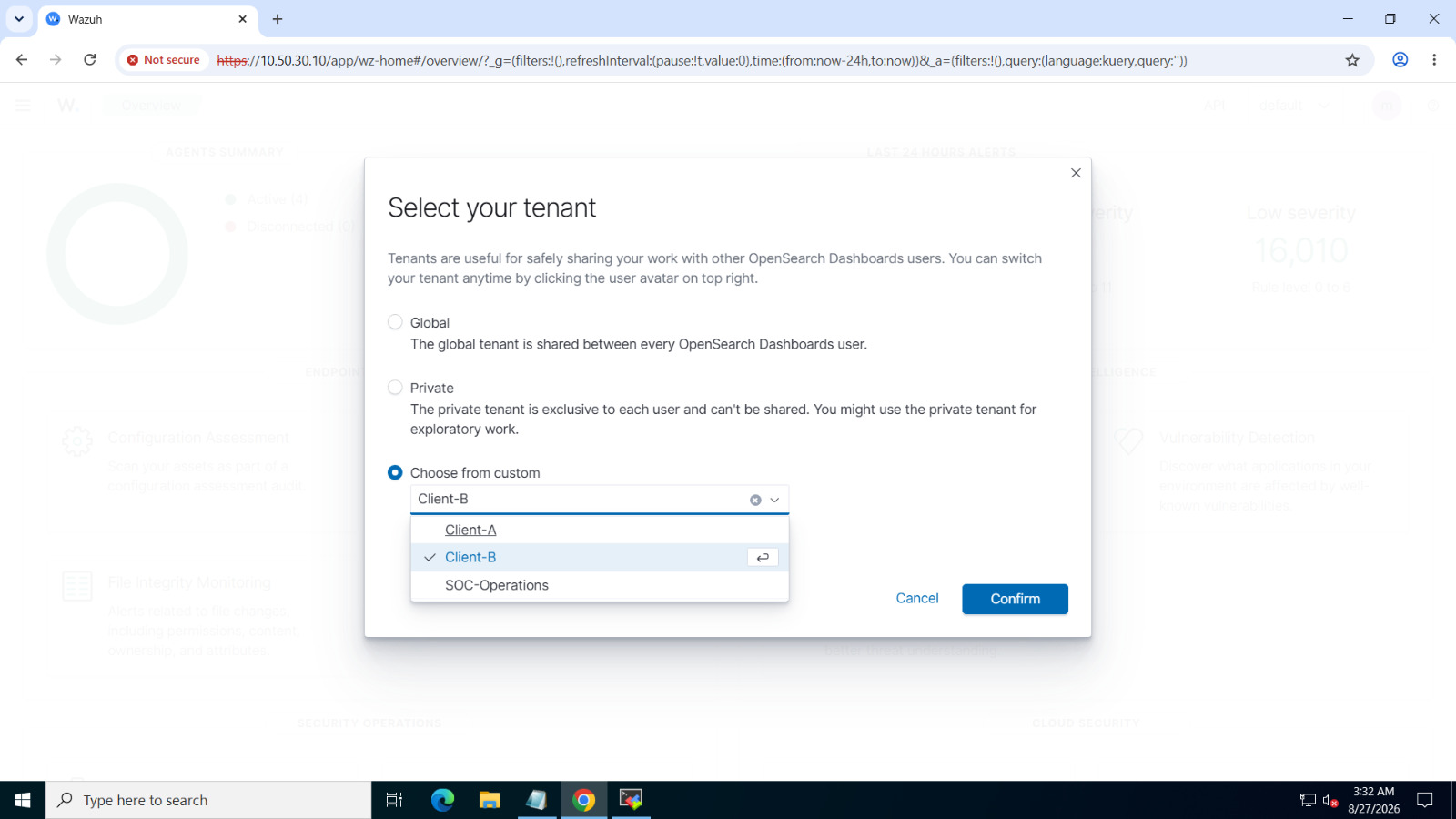
12-wazuh-mssp-soc-operations-access.png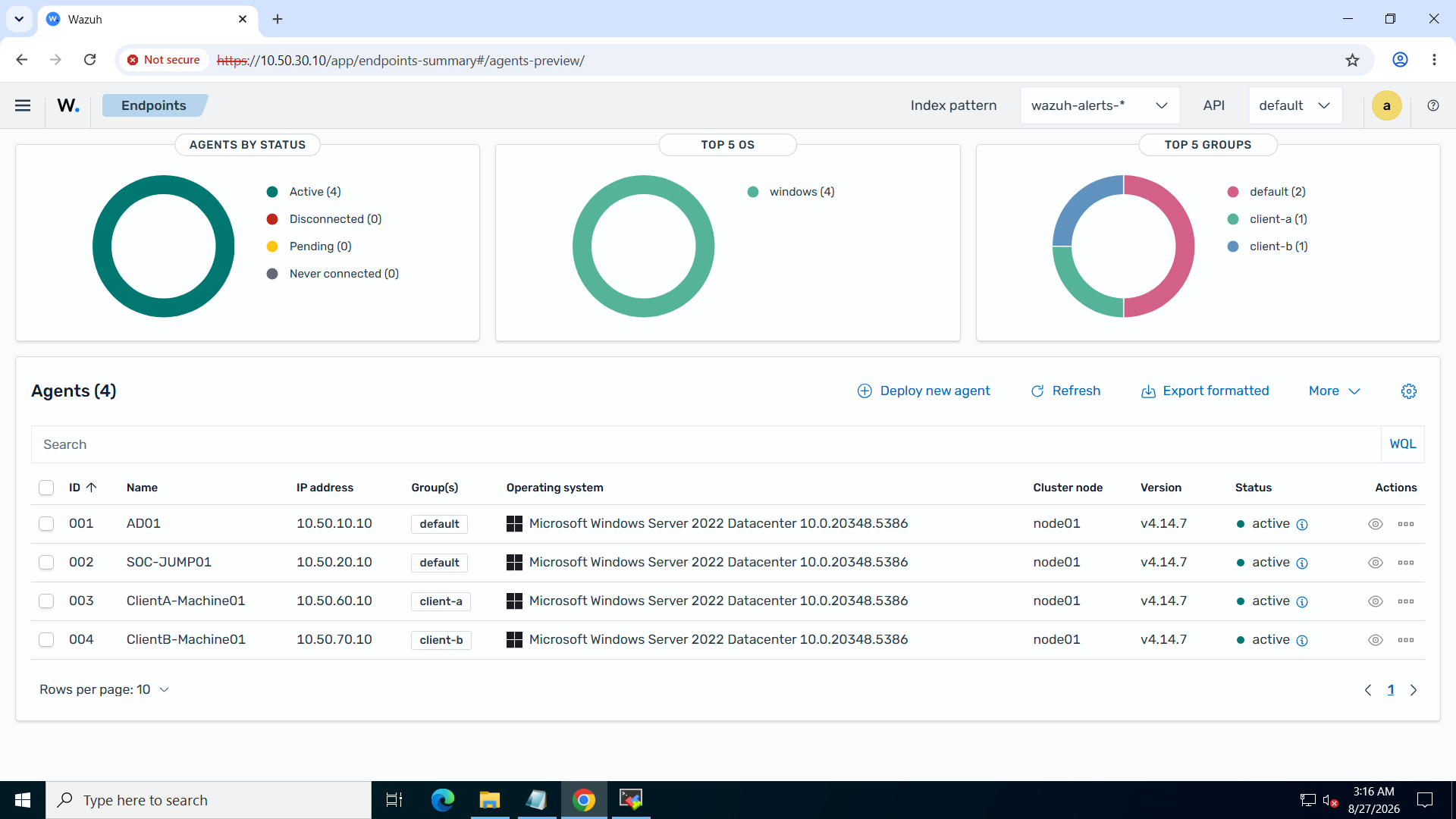
client-a and client-b groups. Group membership alone does not prove the DLS label exists in indexed alerts.13-wazuh-mssp-agent-groups-and-customer-endpoints.png.PNG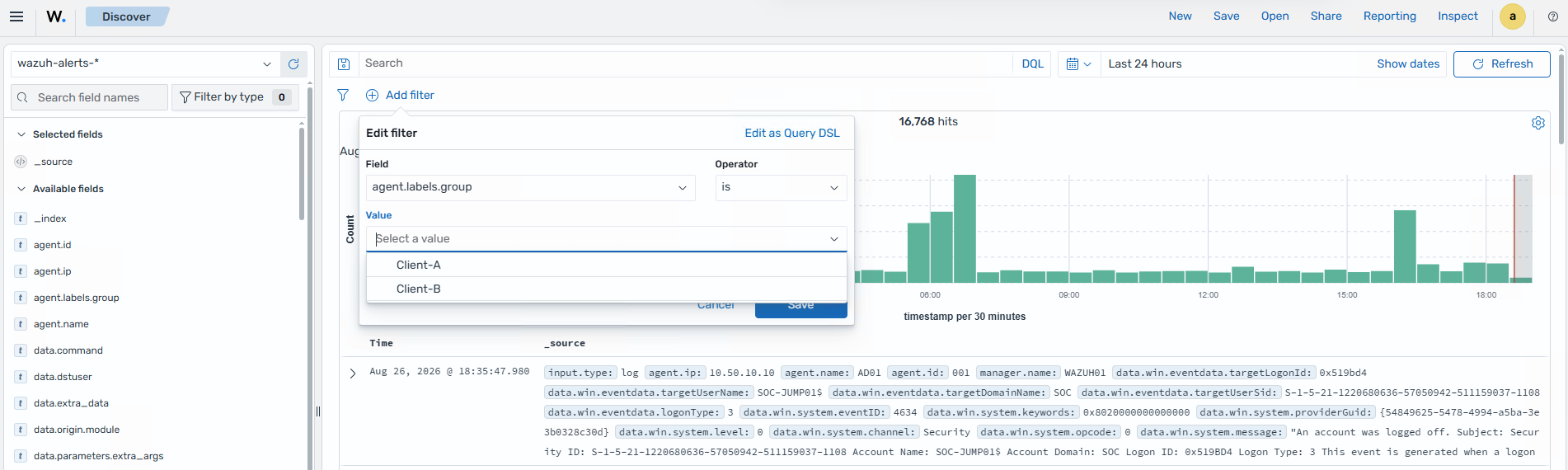
agent.labels.group with the values Client-A and Client-B. Match the DLS query to the indexed values exactly.14-wazuh-mssp-indexed-agent-labels-discover.png.pngBefore sharing screenshots publicly, check for exposed credentials, internal hostnames/IP addresses, usernames, customer identifiers, and sensitive event fields. Redact these details where needed.
12. Official documentation
- Wazuh — Active Directory and LDAP integration
- Wazuh — RBAC and DLS restrictions for agent groups
- Wazuh — Agent labels
- Wazuh — Release notes
- OpenSearch — Document-level security and multiple-role behavior
- OpenSearch — Users, roles, and role mappings
- OpenSearch — Multi-tenancy and tenant objects
Use this as a design and validation reference, not as a drop-in deployment runbook. Confirm version compatibility, effective role permissions, and both allowed and denied access paths in the target environment.
Multi-tenant SIEM design and access-control engineering
For Wazuh architecture, identity integration, or customer-isolation work, use one of the contact options below.