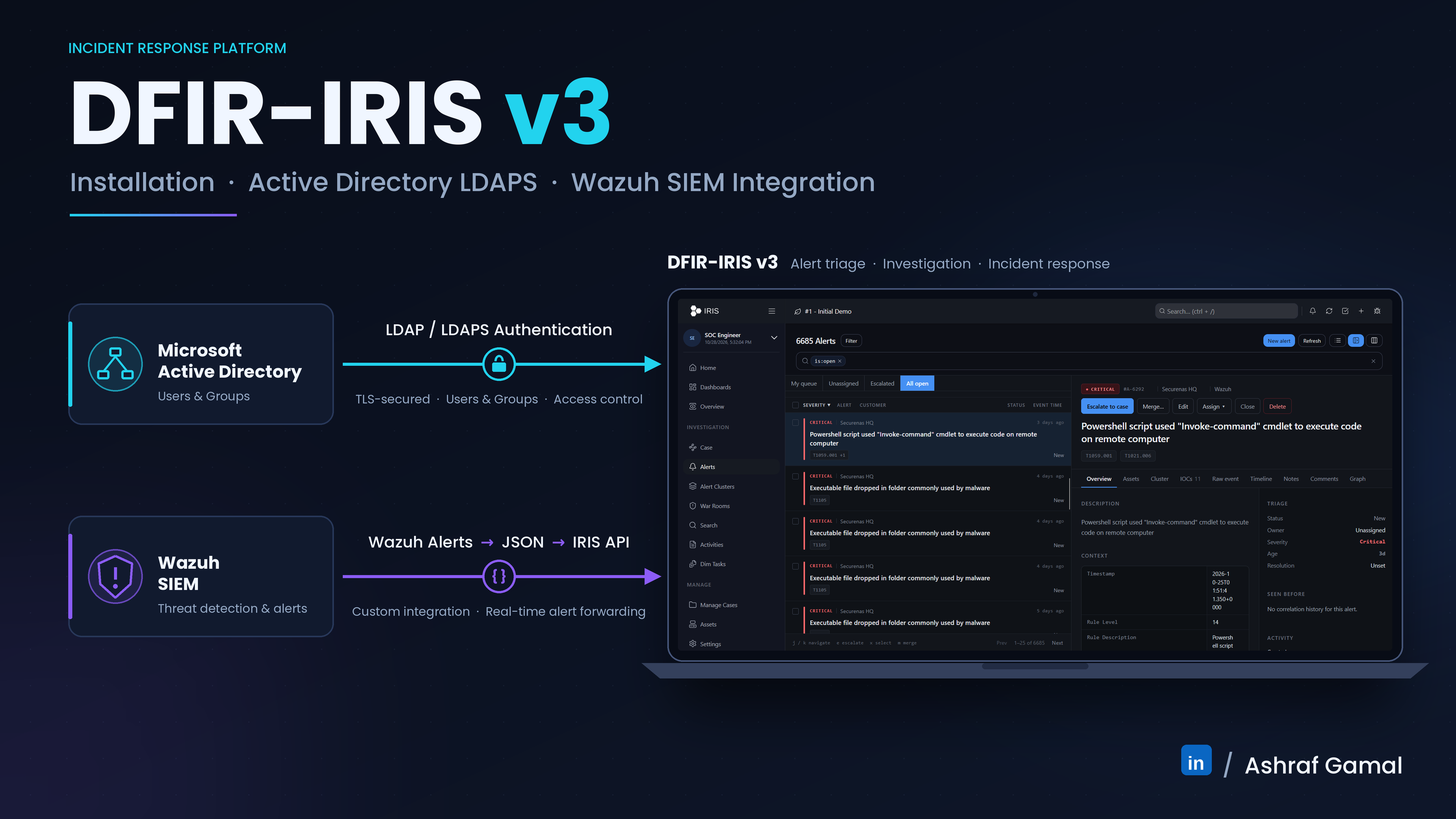
Field note: This article combines the official DFIR-IRIS v3 beta documentation with lessons from a working lab integration against Microsoft Active Directory. Hostnames, domains, addresses, usernames, and certificate names below are examples—replace them with values for your own environment. This is not official vendor guidance.
1. Version and scope
At the time this guide was checked (27 October 2026), the DFIR-IRIS v3 documentation identifies v3.0.0-beta.1 as the current v3 release. The project marks beta releases as not production-ready. Use this procedure for a lab, integration test, or migration rehearsal, and check the official release page before deployment.
IRIS v3 changes the deployment architecture: the web repository coordinates a separate backend and SvelteKit frontend, and the database moves to PostgreSQL 18. Do not copy v2.4.x installation commands, environment filenames, templates, or frontend patches into v3 without checking the versioned documentation.
This walkthrough covers Docker installation, TLS for the IRIS web interface, and LDAPS authentication against Active Directory on TCP port 636. It does not configure AD as an authorization system by itself: IRIS user records and IRIS group permissions still need deliberate provisioning.
2. Authentication flow
| Stage | What must succeed | How to validate |
|---|---|---|
| DNS and routing | The IRIS host and containers can resolve and reach the domain controller FQDN. | Resolve the FQDN from the host and from the app container. |
| TLS trust | The LDAPS certificate chains to a CA trusted by IRIS, and its SAN matches the configured server name. | Use openssl s_client with the CA file and hostname verification. |
| Directory bind | The account name or DN assembled by IRIS matches the real AD object and the password is accepted. | Test a bind with an approved LDAP client, prompting for the password. |
| IRIS identity | The corresponding user exists in IRIS and its login identifier matches the LDAP identity used by this configuration. | Log in with a dedicated test account and inspect application logs. |
| Authorization | The IRIS user belongs to the appropriate IRIS groups and has the intended permissions. | Verify allowed and denied actions with a least-privileged test user. |
DFIR-IRIS documentation states that LDAP validates the password against the LDAP server, but the user must also be declared in IRIS. A successful LDAP bind alone does not prove that an IRIS login or authorization mapping is correct.
3. Prerequisites
- A supported Linux host with Docker Engine and the Docker Compose plugin installed.
- A DNS-resolvable Active Directory domain controller with LDAPS enabled and a certificate whose Subject Alternative Name matches its FQDN.
- The trusted root CA certificate (and any required intermediate CA certificates). Copy only public CA certificates to IRIS—never the CA private key.
- A dedicated AD test account and an IRIS account with a matching login identifier.
- Network access from the IRIS host and containers to the domain controller on TCP 636, plus DNS that supports both internal AD names and any required external names.
Use the resource guidance in the Quick Start for your chosen tag, then size the host for expected analyst concurrency, case volume, evidence storage, retention, and enabled modules. Monitor CPU, RAM, disk latency, and database growth during evaluation; do not treat one lab specification as a universal production minimum.
4. Install DFIR-IRIS v3 with Docker Compose
For a pull-based deployment, the official Quick Start uses the umbrella iris-web repository and pre-built images. Initialize Git submodules only if you plan to build from source.
git clone https://github.com/dfir-iris/iris-web.git
cd iris-web
git checkout v3.0.0-beta.1

# v3 uses .env.example; v2.4.x used .env.model.
cp .env.example .env

# Edit .env and configure unique secrets before starting.
nano .env

docker compose pull
docker compose up -d
docker compose ps
docker compose logs --tail=100
Before the first startup, review the versioned configuration guide and change the default/testing secrets, including the PostgreSQL passwords, application secret key and password salt. Do not publish the real .env file or paste its contents into logs or tickets.
Inspect the actual services on your tagged release before assuming service names. In the lab used for this guide, the application and worker were managed through Compose services named app and worker; the names exposed by another deployment may differ.
5. Configure TLS for the IRIS web interface
IRIS v3 Nginx reads web certificates from certificates/web_certificates/, using CERT_FILENAME and KEY_FILENAME from the environment file. For a local-only test, the documentation provides a self-signed example. Use a certificate issued by your internal or public CA for a real deployment, with correct SAN entries for the URL analysts will use.
mkdir -p certificates/web_certificates

# LAB EXAMPLE ONLY. Replace the DNS name and IP with your test endpoint.
openssl req -x509 -newkey rsa:2048 -sha256 -days 365 -nodes \
  -keyout certificates/web_certificates/iris_dev_key.pem \
  -out certificates/web_certificates/iris_dev_cert.pem \
  -subj "/CN=iris.example.com" \
  -addext "subjectAltName=DNS:iris.example.com,IP:192.0.2.10"

chmod 600 certificates/web_certificates/iris_dev_key.pemThe web certificate secures browser-to-IRIS HTTPS. The AD certificate and its issuing CA secure IRIS-to-domain-controller LDAPS. They are separate trust relationships and may use different certificates and CAs.
6. Prepare Active Directory LDAPS and its CA certificate
6.1 Export the CA certificate
Export the CA certificate that issued the domain controller's LDAPS certificate from your enterprise CA in Base-64 format where possible. Transfer the public CA certificate to the IRIS host, then place it under the repository's LDAP certificate directory:
cd /path/to/iris-web
mkdir -p certificates/ldap

# Copy your exported CA certificate here; the filename is an example.
cp /secure/staging/corp-root-ca.pem certificates/ldap/corp-root-ca.pem
chmod 644 certificates/ldap/corp-root-ca.pem
If the certificate is DER-encoded rather than PEM, convert it first:
openssl x509 -inform DER \
  -in corp-root-ca.cer \
  -out certificates/ldap/corp-root-ca.pem
Confirm that you copied the correct CA certificate. Do not copy the domain controller's private key, and do not treat the server certificate alone as a substitute for the issuing CA trust chain unless your PKI design explicitly requires it.
6.2 Verify DNS and LDAPS before changing IRIS
# Run on the IRIS host
getent ahostsv4 dc1.corp.example.com

# Confirm the app container can resolve the same name
docker exec iris_app getent hosts dc1.corp.example.com

# Validate the TLS chain and server hostname from the host
openssl s_client \
  -connect dc1.corp.example.com:636 \
  -servername dc1.corp.example.com \
  -CAfile certificates/ldap/corp-root-ca.pem \
  -verify_hostname dc1.corp.example.com \
  -verify_return_error </dev/null
Look for Verify return code: 0 (ok). If the certificate chain fails, correct the CA bundle, certificate chain, FQDN/SAN, system time, DNS, routing or firewall rule. Do not solve certificate errors by disabling validation.
7. Configure LDAP authentication in the IRIS environment
Edit the root .env file. The exact user-prefix/suffix values depend on how the target AD users are named and where they live in the directory. The following example matches a common AD layout where the account's CN is the same as its login name and the user objects are stored in the default CN=Users container.
IRIS_AUTHENTICATION_TYPE=ldap

LDAP_SERVER=dc1.corp.example.com
LDAP_PORT=636
LDAP_AUTHENTICATION_TYPE=SIMPLE
LDAP_USE_SSL=True
LDAP_VALIDATE_CERTIFICATE=True
LDAP_TLS_VERSION=1.2

# CA-only trust: follow the documented behavior for the tagged build.
LDAP_CUSTOM_TLS_CONFIG=False
LDAP_CA_CERTIFICATE=corp-root-ca.pem

# Example DN construction for users in CN=Users.
LDAP_USER_PREFIX=CN=
LDAP_USER_SUFFIX=CN=Users,DC=corp,DC=example,DC=com

# Present in the lab's beta configuration/patch; verify that your
# chosen build supports these exact settings before relying on them.
LDAP_SEARCH_DN=DC=corp,DC=example,DC=com
LDAP_ATTRIBUTE_IDENTIFIER=sAMAccountName
IRIS_AUTHENTICATION_CREATE_USER_IF_NOT_EXIST=False
With this example, a user whose account/CN is analyst1 would typically produce a bind DN such as CN=analyst1,CN=Users,DC=corp,DC=example,DC=com. If the user lives under an OU, has a different CN from sAMAccountName, or you use UPN-style logons, change the prefix/suffix strategy to match the real directory. Do not assume one DN pattern fits every AD deployment.


memberOf values that an optional custom mapping may read. Keep internal distinguished names and identity details out of public screenshots.The upstream v3 beta authentication page also documents the alternative DOMAIN\username pattern for Active Directory with an empty suffix. Choose one pattern that matches the actual behavior of your tagged build and directory; do not combine incompatible patterns.
For normal LDAPS server authentication, IRIS needs to trust the CA that issued the domain controller certificate. A client certificate and private key are a different configuration and should be set only if your directory specifically requires mutual TLS. Keep LDAP_VALIDATE_CERTIFICATE=True.
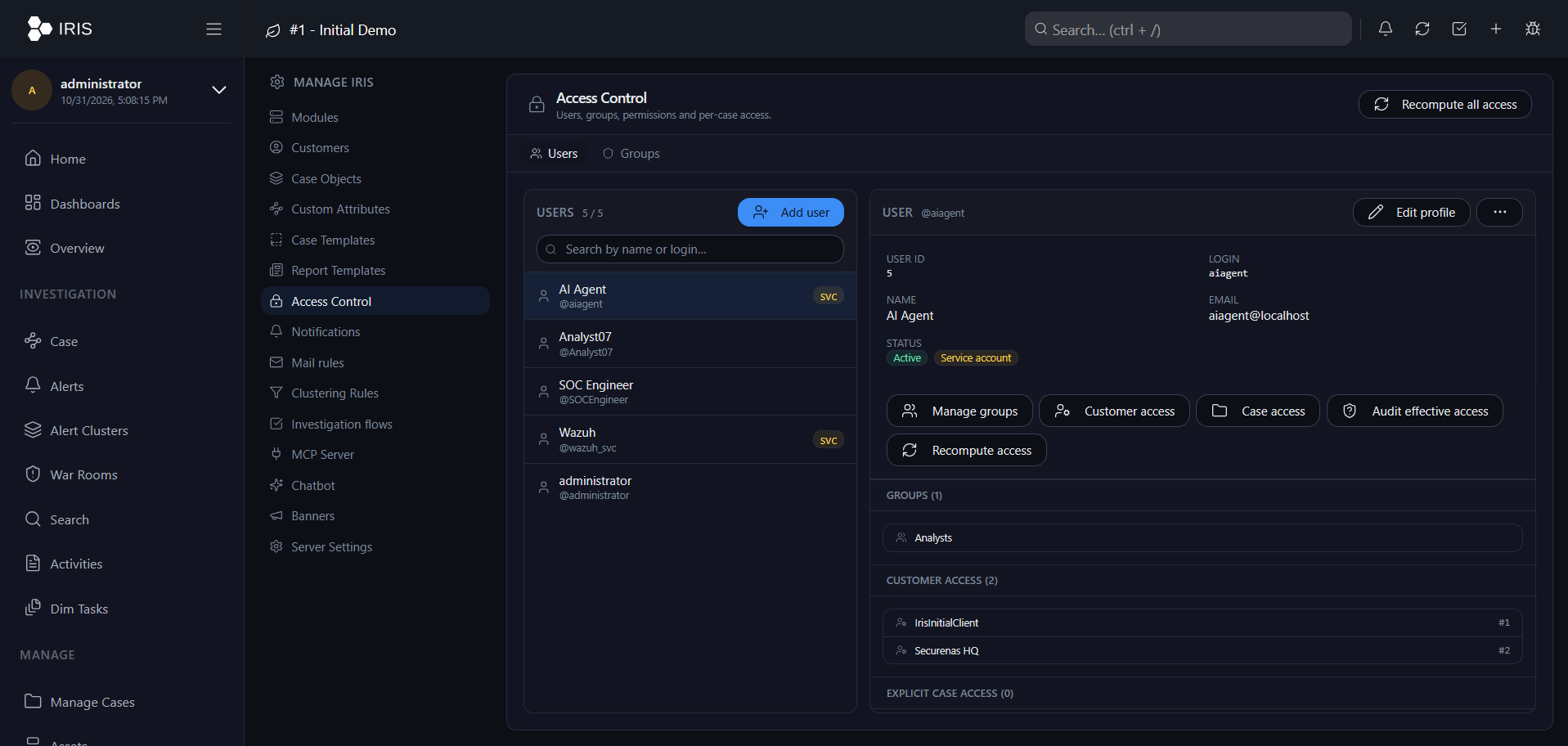
8. Provision users and assign IRIS permissions
- Create the corresponding user in IRIS first when automatic user creation is disabled. IRIS's LDAP documentation states that the user must exist in IRIS; the login identifier used in IRIS must match the LDAP identity that the authentication configuration expects.
- For a first-run LDAP administrator, the official documentation describes setting
IRIS_ADM_EMAILto the email address of the intended administrator account. This bootstrap setting does not retroactively create or rename users after IRIS has already initialized. - Assign the user to the appropriate IRIS groups and grant only the permissions needed for the role. A successful AD login is not equivalent to administrator access.
- Keep an approved break-glass account according to your operational policy. If local fallback is enabled in your build, document who may use it, protect it, and test that it works as expected without weakening the LDAPS validation policy.
In my lab, I also implemented an optional local group-mapping patch that reads direct AD memberOf values after a successful bind and maps selected AD groups to existing IRIS groups. This is a custom extension, not a behavior to assume from LDAP authentication alone. It handled direct group membership; nested AD group membership needs separate recursion logic and testing. Start with manual IRIS group assignment until your mapping is tested.
9. Validate the LDAP authentication path
After updating the environment file or changing a mounted local patch, recreate the affected application and worker services so both read the same configuration. Confirm the service names first if your Compose file differs. The steps below validate AD authentication; Wazuh-to-IRIS alert delivery is validated separately in Section 16.
docker compose config -q
docker compose up -d --force-recreate app worker
docker compose ps
docker compose logs --tail=150 app worker
Verify the CA file is visible in the app container at the expected path. In the lab layout, the mounted certificate was accessible under /iriswebapp/certificates/ldap/:
docker exec iris_app ls -l \
  /iriswebapp/certificates/ldap/corp-root-ca.pem
Then validate each layer in order:
- DNS: the configured domain controller FQDN resolves on the host and inside the relevant container.
- TLS: the certificate chain validates and the server name matches the certificate SAN.
- Bind: an authorized LDAP client can bind using the intended DN/account and a password entered interactively (for example,
ldapwhoami -x -H ldaps://dc1.corp.example.com:636 -D 'CN=analyst1,CN=Users,DC=corp,DC=example,DC=com' -Wwith the proper CA trust configured on the test machine). - Application login: sign in to IRIS with a dedicated AD test account whose IRIS user record exists and whose username matches the configured identity format.
- Authorization: verify that the account can perform its expected analyst tasks and cannot perform actions outside its assigned role.
10. Beta-specific finding from this lab
During the tested v3.0.0-beta.1 deployment, the CA-only LDAPS path required a local compatibility patch. The observed behavior was that a string-valued false setting was treated as truthy in the TLS branch and the handler attempted to access a client-certificate setting even though the directory did not require a client certificate. The working lab patch normalized environment booleans and loaded the configured CA certificate without requiring a client certificate when none was configured. In that patched lab, LDAP_CUSTOM_TLS_CONFIG=True was used with the custom handler that applied the CA trust settings; that value is not a drop-in recommendation for an unpatched installation. Follow the official setting LDAP_CUSTOM_TLS_CONFIG=False unless your exact release or a reviewed local patch requires otherwise.
The patch was kept as local files and mounted read-only into the application and worker containers. This is a version-specific workaround, not an official upstream patch, and the exact change may not be needed or appropriate on a later tag.
First confirm the exact release, inspect the traceback, and test the documented configuration on a copy or lab instance. If a patch is unavoidable, back up the original file, change only the failing TLS/boolean behavior, keep certificate validation enabled, mount the patch read-only into every service that uses the handler, and retest after each IRIS upgrade. Do not paste a v2 template patch into v3: v3 has a separate SvelteKit frontend and backend repository structure.
11. Wazuh-to-IRIS integration architecture
Once IRIS and AD authentication are stable, add Wazuh as an alert source. The integration uses Wazuh's Integrator process to pass a JSON alert file, API key, and target URL to a custom Python script. The script posts the normalized alert to the supported IRIS v3 API surface at /api/v2/alerts.
| Stage | Responsibility | Result in IRIS |
|---|---|---|
| 1. Wazuh Manager | Matches a rule and emits the alert JSON. The integration threshold controls which events are forwarded. | Original event, rule metadata, agent information, and timestamp enter the script. |
| 2. Enhanced Python integration | Builds concise alert metadata, a key/value context map, searchable tags, and typed IOC candidates while retaining the original JSON. | Analysts see a structured event rather than one large, difficult-to-read text blob. |
| 3. IRIS API | Receives the alert over HTTPS with Bearer-token authentication. | A Wazuh-sourced alert appears in **Alerts**. |
| 4. IRIS investigation | An analyst opens and triages the alert, checks the Context and IOC views, and promotes it into a case when appropriate. | Alert triage and case creation remain controlled by IRIS permissions and analyst workflow. |
Use https://IRIS_HOST/api/v2/alerts for the v3 API. DFIR-IRIS v3 routes API requests through /api/v2; legacy paths such as /alerts/add are no longer the supported v3 integration route. This guide's script uses the current versioned API path.
This creates an IRIS alert; it does not automatically create a case for every Wazuh event. Analysts can review the alert, correlate it, and promote it to a case in line with the SOC's triage policy.
12. Create an IRIS API identity and validate access
12.1 Create a dedicated service account
- In IRIS, open Advanced → Access Control → Users and create a dedicated account such as
wazuh_svc. Enable the service-account option if available in your tagged release. - Grant only the API permissions the integration needs. The documented alert workflow uses
alerts_readandalerts_write; do not use the IRIS administrator's token for routine alert ingestion. - Open the service account's user settings and copy or generate its API key. Store it only in the protected Wazuh Integrator configuration—never in the Python source or a public repository.
- Confirm that the service account is permitted to write alerts to the target customer. Case access, alert permissions, and customer association are separate access-control considerations.
12.2 Test the API from the Wazuh Manager
Use the exact HTTPS host and certificate chain that the Wazuh manager will trust. A successful TCP connection alone is not enough; test Bearer authentication against a read endpoint and check its HTTP status. For a private CA, point --cacert to the CA certificate or bundle that validates the IRIS web certificate.
IRIS_URL="https://iris.example.com"
read -rsp "IRIS API key: " IRIS_API_KEY
printf '\n'

curl --silent --show-error --fail-with-body \
  --cacert /path/to/iris-web-ca.pem \
  -H "Authorization: Bearer ${IRIS_API_KEY}" \
  -H "Accept: application/json" \
  "${IRIS_URL}/api/v2/alerts?page=1&per_page=1"

unset IRIS_API_KEY
If the IRIS web certificate is signed by a CA already trusted by the Wazuh host, the explicit --cacert option may be omitted. Do not replace it with -k or disable verification. Expect an authenticated success response; HTTP 401 suggests a missing/invalid token, while HTTP 403 commonly indicates insufficient permissions.
13. Configure the Wazuh Integrator
Place the downloaded script at /var/ossec/integrations/custom-wazuh_iris.py on the Wazuh Manager. The integration name in ossec.conf must match the script basename so Wazuh can locate and invoke it.
# Copy the script onto the Wazuh Manager first, then set ownership/mode.
sudo install -o root -g wazuh -m 0750 \
  custom-wazuh_iris.py \
  /var/ossec/integrations/custom-wazuh_iris.py

# Confirm the Wazuh-bundled Python can import requests.
sudo /var/ossec/framework/python/bin/python3 -c \
  'import requests; print("requests", requests.__version__)'
Edit /var/ossec/etc/ossec.conf on the Wazuh Manager and add the following block inside the existing <ossec_config> element. Replace both placeholders locally with the real HTTPS base URL and service-account API key.
<integration>
  <name>custom-wazuh_iris.py</name>
  <hook_url>https://iris.example.com/api/v2/alerts</hook_url>
  <api_key>REPLACE_WITH_IRIS_SERVICE_ACCOUNT_KEY</api_key>
  <level>7</level>
  <alert_format>json</alert_format>
  <timeout>20</timeout>
  <retries>3</retries>
</integration>levelforwards rule-level 7 or higher. Adjust the threshold to match your operational noise and response capacity.alert_formatmust bejsonfor this script.- The script also excludes exact rule-group names
cisandscaand checks its own level threshold. Remove or change these exclusions if your policy differs. - Protect
ossec.conf, because the API key is a secret in that file. Do not put the real configuration into GitHub or screenshots.
Before restarting the manager, validate the XML structure and ensure the custom-wazuh_iris.py script is executable. Then restart Wazuh Manager using the service method supported by your installation.
sudo systemctl restart wazuh-manager
sudo tail -f /var/ossec/logs/integrations.log
# In another terminal:
sudo tail -f /var/ossec/logs/ossec.log
If IRIS uses a private web CA, the script supports an optional IRIS_CA_BUNDLE setting near the top of the file. Set it to the appropriate PEM CA bundle or install the CA in the trust store used by the Wazuh Python runtime. TLS verification remains enabled by default.
14. Enhanced integration script
The integration script is based on the enhanced version from the original Wazuh-to-IRIS article and is included as a standalone file so it can be reviewed, tested, and version-controlled separately from the article.
Download custom-wazuh_iris.py ↗
Visual-data improvements in this version:
- Readable Context table: rule ID/level/description, timestamp, agent name/ID/IP, manager, decoder, rule groups, and MITRE metadata are placed first.
- Nested event fields: selected
data,syscheck, and vulnerability fields are flattened into bounded key/value entries; sensitive-looking field names are omitted from this derived context. - Raw alert preservation:
alert_source_contentretains the original Wazuh alert JSON for later investigation. - Useful triage metadata: tags include Wazuh, rule ID, agent, and MITRE values. The alert description includes a concise rule/agent/MITRE summary.
- Typed IOC candidates: IPv4, domains, URLs, hashes, filenames, and email addresses are sent as structured IOC objects—not as one comma-separated tag.
- Safer request handling: HTTPS is required, certificate verification remains enabled, the HTTP timeout is bounded, and failure logs avoid dumping response bodies.
Configuration you must review: set CUSTOMER_ID and WAZUH_DASHBOARD_URL in the script for your environment. Confirm the new-alert status ID, severity IDs, TLP ID, and each IOC type ID against the taxonomy on your own IRIS instance. The numeric IDs below are values seen in the original lab; they are not universal IDs across all installations or custom taxonomies.
#!/var/ossec/framework/python/bin/python3
import hashlib
import ipaddress
import json
import logging
import os
import re
import sys
from urllib.parse import urlsplit

import requests

LOG_FILE = "/var/ossec/logs/integrations.log"
LEVEL_THRESHOLD = 7
CUSTOMER_ID = 1  # Set to the customer ID from your IRIS instance.
STATUS_ID_NEW = 2  # Verify against your installed IRIS taxonomy.
WAZUH_DASHBOARD_URL = "https://WAZUH_DASHBOARD_HOST/app/wz-home"
# Optional: set to the PEM CA bundle used to verify the IRIS HTTPS certificate.
# Keep TLS verification enabled. None uses the Python/OS default trust store.
IRIS_CA_BUNDLE = None

# These IDs came from the IRIS IOC taxonomy inspected in the lab.
# Reconfirm them after upgrades or any taxonomy customization.
IOC_TYPE_IDS = {
    "ip-any": 76,
    "domain": 20,
    "url": 141,
    "md5": 90,
    "sha1": 111,
    "sha256": 113,
    "filename": 37,
    "email": 22,
}

logging.basicConfig(
    filename=LOG_FILE,
    level=logging.INFO,
    format="%(asctime)s %(levelname)s %(message)s",
)

FILE_EXTENSIONS = {
    ".exe", ".dll", ".sys", ".bat", ".cmd", ".ps1", ".vbs",
    ".js", ".hta", ".scr", ".msi", ".jar", ".sh", ".py",
}


def flatten_for_context(value, prefix="", max_items=40):
    """Flatten nested event data into readable, bounded key/value pairs."""
    result = {}
    sensitive_fragments = ("password", "secret", "api_key", "token", "authorization", "credential")

    def walk(node, path):
        if len(result) >= max_items or not path:
            return
        if isinstance(node, dict):
            for key, child in node.items():
                if any(fragment in str(key).lower() for fragment in sensitive_fragments):
                    continue
                child_path = f"{path}.{key}" if path else str(key)
                walk(child, child_path)
                if len(result) >= max_items:
                    break
        elif isinstance(node, list):
            if all(not isinstance(item, (dict, list)) for item in node):
                value_text = ", ".join(str(item) for item in node if item is not None)
                if value_text:
                    result[path] = value_text[:1000]
            else:
                for index, child in enumerate(node):
                    walk(child, f"{path}[{index}]")
                    if len(result) >= max_items:
                        break
        elif node is not None:
            value_text = str(node).replace("\r", " ").replace("\n", " ").strip()
            if value_text:
                result[path] = value_text[:1000]

    walk(value, prefix)
    return result


def build_context(alert):
    """Build a human-readable summary first, then add bounded nested event fields."""
    rule = alert.get("rule", {}) if isinstance(alert.get("rule"), dict) else {}
    agent = alert.get("agent", {}) if isinstance(alert.get("agent"), dict) else {}
    manager = alert.get("manager", {}) if isinstance(alert.get("manager"), dict) else {}
    decoder = alert.get("decoder", {}) if isinstance(alert.get("decoder"), dict) else {}
    mitre = rule.get("mitre", {}) if isinstance(rule.get("mitre"), dict) else {}

    context = {}

    def add(label, value, max_length=1000):
        if value is None or value == "":
            return
        if isinstance(value, list):
            value = ", ".join(str(item) for item in value if item not in (None, ""))
        elif isinstance(value, dict):
            value = json.dumps(value, ensure_ascii=False, sort_keys=True)
        value = str(value).replace("\r", " ").replace("\n", " ").strip()
        if value:
            context[label] = value[:max_length]

    add("Timestamp", alert.get("timestamp"))
    add("Wazuh Alert ID", alert.get("id"))
    add("Rule ID", rule.get("id"))
    add("Rule Level", rule.get("level"))
    add("Rule Description", rule.get("description"))
    add("Rule Groups", rule.get("groups"))
    add("Agent Name", agent.get("name"))
    add("Agent ID", agent.get("id"))
    add("Agent IP", agent.get("ip"))
    add("Manager", manager.get("name"))
    add("Decoder", decoder.get("name"))
    add("Event Location", alert.get("location"))
    add("MITRE Technique IDs", mitre.get("id"))
    add("MITRE Tactics", mitre.get("tactic"))
    add("MITRE Techniques", mitre.get("technique"))
    add("Full Log", alert.get("full_log"), max_length=1800)

    # Place event-specific fields in the Context table, not in an HTML blob.
    for section_name in ("data", "syscheck", "vulnerability"):
        section = alert.get(section_name)
        if isinstance(section, (dict, list)):
            for key, value in flatten_for_context(section, prefix=section_name, max_items=40).items():
                if len(context) >= 65:
                    break
                if key not in context:
                    context[key] = value
        if len(context) >= 65:
            break

    return context


def is_valid_ipv4(value):
    try:
        return isinstance(ipaddress.ip_address(value), ipaddress.IPv4Address)
    except ValueError:
        return False


def add_ioc(items, value, type_name, description):
    value = str(value).strip().rstrip(".,;)")
    if not value:
        return
    type_id = IOC_TYPE_IDS.get(type_name)
    if type_id is None:
        return
    items[(value.lower(), type_id)] = {
        "ioc_value": value,
        "ioc_description": description,
        "ioc_tlp_id": 1,  # Confirm TLP ID in your IRIS environment.
        "ioc_type_id": type_id,
        "ioc_tags": "wazuh",
    }


def extract_iocs(alert):
    """Prefer structured event fields, then scan selected text values."""
    found = {}

    data = alert.get("data", {})
    win = data.get("win", {}) if isinstance(data, dict) else {}
    eventdata = win.get("eventdata", {}) if isinstance(win, dict) else {}

    # Pull known structured fields first; file paths remain filenames, not domains.
    structured_candidates = []
    for field in ("image", "targetFilename", "ParentImage", "filePath", "filename"):
        candidate = eventdata.get(field)
        if isinstance(candidate, str) and candidate.strip():
            structured_candidates.append(candidate.strip())

    # Scan all string-valued fields to catch other telemetry, but classify by syntax.
    searchable = list(structured_candidates)

    def collect_strings(obj):
        if isinstance(obj, dict):
            for val in obj.values():
                collect_strings(val)
        elif isinstance(obj, list):
            for val in obj:
                collect_strings(val)
        elif isinstance(obj, str):
            searchable.append(obj)

    collect_strings(alert)

    seen_texts = set()
    for text in searchable:
        if text in seen_texts:
            continue
        seen_texts.add(text)

        # URLs first; strip common trailing punctuation.
        for match in re.findall(r"https?://[^\s\"'<>]+", text, flags=re.IGNORECASE):
            url = match.rstrip(".,;)]}")
            add_ioc(found, url, "url", "Extracted from Wazuh alert")

        # IPv4: validate each candidate instead of accepting 999.999.999.999.
        for match in re.findall(r"\b(?:\d{1,3}\.){3}\d{1,3}\b", text):
            if is_valid_ipv4(match):
                add_ioc(found, match, "ip-any", "Extracted from Wazuh alert")

        # Hashes are matched by length.
        for match in re.findall(r"\b[a-fA-F0-9]{64}\b", text):
            add_ioc(found, match, "sha256", "SHA-256 candidate extracted from Wazuh alert")
        for match in re.findall(r"\b[a-fA-F0-9]{40}\b", text):
            add_ioc(found, match, "sha1", "SHA-1 candidate extracted from Wazuh alert")
        for match in re.findall(r"\b[a-fA-F0-9]{32}\b", text):
            add_ioc(found, match, "md5", "MD5 candidate extracted from Wazuh alert")

        # Extract complete filenames. Non-capturing groups keep the full match.
        for match in re.findall(
            r"(?i)(?<![A-Za-z0-9_.-])[A-Za-z0-9_.$@!~() -]+\.(?:exe|dll|sys|bat|cmd|ps1|vbs|js|hta|scr|msi|jar|sh|py)\b",
            text,
        ):
            filename = match.strip().strip('"')
            if filename:
                add_ioc(found, filename, "filename", "Filename candidate extracted from Wazuh alert")

        # Domain candidates: require a dotted hostname-like token and exclude file extensions.
        file_extensions = {ext.lstrip(".") for ext in FILE_EXTENSIONS}
        for match in re.findall(
            r"(?i)(?<![A-Za-z0-9_-])(?:[A-Za-z0-9](?:[A-Za-z0-9-]{0,61}[A-Za-z0-9])?\.)+[A-Za-z]{2,63}\b",
            text,
        ):
            domain = match.rstrip(".")
            tld = domain.rsplit(".", 1)[-1].lower()
            if tld not in file_extensions and not is_valid_ipv4(domain):
                add_ioc(found, domain, "domain", "Domain candidate extracted from Wazuh alert")

        # Email addresses
        for match in re.findall(
            r"\b[A-Za-z0-9._%+-]+@[A-Za-z0-9.-]+\.[A-Za-z]{2,63}\b",
            text,
        ):
            add_ioc(found, match, "email", "Email address candidate extracted from Wazuh alert")

    return list(found.values())[:50]


def normalize_list(value):
    if value is None:
        return []
    if isinstance(value, list):
        return [str(item) for item in value if item not in (None, "")]
    return [str(value)] if value != "" else []


def build_tags(alert):
    rule = alert.get("rule", {})
    agent = alert.get("agent", {})
    mitre = rule.get("mitre", {})

    raw_tags = [
        "wazuh",
        f"rule_{rule.get('id', 'unknown')}",
        str(agent.get("name", "unknown")),
        str(agent.get("ip", "unknown")),
    ]
    raw_tags += normalize_list(mitre.get("id"))
    raw_tags += normalize_list(mitre.get("tactic"))
    raw_tags += normalize_list(mitre.get("technique"))

    # IRIS alert_tags is a comma-separated string.
    return ",".join(
        tag.strip().replace(",", "_").replace(" ", "_")
        for tag in raw_tags if tag and tag.strip()
    )


def main():
    # Wazuh passes: alert_file, api_key, hook_url. For an interactive manual test,
    # an API key can instead be read from the temporary IRIS_API_KEY environment variable.
    if len(sys.argv) >= 4:
        alert_file, api_key, hook_url = sys.argv[1:4]
    elif len(sys.argv) == 3 and os.environ.get("IRIS_API_KEY"):
        alert_file, hook_url = sys.argv[1:3]
        api_key = os.environ["IRIS_API_KEY"]
    else:
        logging.error("Expected Wazuh arguments: alert_file api_key hook_url; manual mode supports alert_file hook_url plus IRIS_API_KEY")
        return 2

    if not api_key or not hook_url:
        logging.error("Missing IRIS API key or hook URL argument")
        return 2

    parsed_url = urlsplit(hook_url)
    if parsed_url.scheme.lower() != "https" or not parsed_url.hostname:
        logging.error("IRIS hook URL must be an absolute HTTPS URL")
        return 2

    try:
        with open(alert_file, "r", encoding="utf-8") as handle:
            alert = json.load(handle)
    except (OSError, json.JSONDecodeError) as exc:
        logging.error("Could not read Wazuh JSON alert: %s", exc)
        return 2

    rule = alert.get("rule", {})
    if not isinstance(rule, dict):
        rule = {}

    groups = normalize_list(rule.get("groups"))
    if any(group.lower() in {"cis", "sca"} for group in groups):
        logging.info("Skipping alert because rule group is excluded: %s", groups)
        return 0

    try:
        level = int(rule.get("level", 0))
    except (TypeError, ValueError):
        level = 0
    if level < LEVEL_THRESHOLD:
        return 0

    title = str(rule.get("description") or "Wazuh Alert")
    agent = alert.get("agent", {}) if isinstance(alert.get("agent"), dict) else {}
    mitre = rule.get("mitre", {}) if isinstance(rule.get("mitre"), dict) else {}
    summary_parts = [f"Rule ID: {rule.get('id', 'unknown')}", f"Level: {level}"]
    if agent.get("name"):
        summary_parts.append(f"Agent: {agent.get('name')}")
    if agent.get("ip"):
        summary_parts.append(f"Agent IP: {agent.get('ip')}")
    mitre_ids = normalize_list(mitre.get("id"))
    if mitre_ids:
        summary_parts.append("MITRE: " + ", ".join(mitre_ids))
    description_summary = " | ".join(summary_parts)[:1800]

    source_ref = alert.get("id")
    if not source_ref:
        stable_source = json.dumps(alert, sort_keys=True, ensure_ascii=False, separators=(",", ":"), default=str)
        source_ref = hashlib.sha256(stable_source.encode("utf-8")).hexdigest()[:32]

    severity_id = 6 if level >= 13 else 5 if level >= 10 else 4 if level >= 7 else 3

    payload = {
        "alert_title": title,
        "alert_description": description_summary,
        "alert_source": "Wazuh",
        "alert_source_ref": str(source_ref),
        "alert_source_link": WAZUH_DASHBOARD_URL,
        "alert_severity_id": severity_id,
        "alert_status_id": STATUS_ID_NEW,
        "alert_source_event_time": alert.get("timestamp"),
        "alert_note": "",
        "alert_tags": build_tags(alert),
        "alert_customer_id": CUSTOMER_ID,
        "alert_context": build_context(alert),
        "alert_iocs": extract_iocs(alert),
        "alert_source_content": alert,
    }

    try:
        response = requests.post(
            hook_url,
            json=payload,
            headers={
                "Authorization": f"Bearer {api_key}",
                "Content-Type": "application/json",
                "Accept": "application/json",
            },
            timeout=(5, 20),
            verify=IRIS_CA_BUNDLE or True,
        )
        if response.status_code in (200, 201, 202, 204):
            logging.info(
                "Sent Wazuh rule=%s level=%s IOC_count=%s HTTP=%s",
                rule.get("id"), level, len(payload["alert_iocs"]), response.status_code,
            )
            return 0

        # Avoid logging credentials. Response bodies may contain internal details.
        # Avoid logging response bodies, which can contain case, identity, or event data.
        logging.error("IRIS API rejected alert: HTTP %s", response.status_code)
        return 1

    except requests.RequestException as exc:
        logging.error("IRIS request failed: %s", exc)
        return 1


if __name__ == "__main__":
    sys.exit(main())
15. How Wazuh event data appears in IRIS
After a successful API call, open IRIS → Alerts and select the Wazuh alert. Review each section separately:
| IRIS field / view | What the script sends | Analyst benefit |
|---|---|---|
| Title | The Wazuh rule description. | Quickly identifies the detection. |
| Description | A concise Rule ID, level, agent, IP, and MITRE summary. | Gives useful triage context without opening the raw event. |
| Context | A key/value object with timestamp, rule metadata, agent details, decoder, location, MITRE metadata, full log excerpt, and bounded nested event fields. | Human-readable details are separated into fields rather than shown as a single large JSON string. |
| Tags | Source label, Wazuh rule ID, agent name/IP, and MITRE IDs/tactics/techniques. | Provides searchable labels and triage clues; tags do not replace typed IOCs. |
| IOCs | Structured candidates with an IOC value, description, TLP ID, type ID, and tag. | Indicators appear as typed objects when the API schema and taxonomy IDs match. |
| Source content / raw alert | The original JSON payload from Wazuh. | Preserves the underlying event for validation and deeper investigation. |
IOC extraction uses pattern matching and field heuristics. An IP, domain, filename, or hash candidate is not automatically malicious. Analysts must verify context and reputation before treating an extracted value as a confirmed indicator.
16. Validate the Wazuh-to-IRIS path end to end
- Verify the IRIS API key using the read request in Section 12 and confirm the certificate is trusted from the Wazuh Manager.
- Check script syntax with the same Python runtime configured in the shebang.
- Test with a saved, redacted Wazuh JSON alert and a non-production IRIS customer before enabling broad alert forwarding.
- Restart the Wazuh Manager after modifying
ossec.conf, then generate or wait for a controlled event at the configured level. - Inspect
/var/ossec/logs/integrations.logfor a success status and IOC count, and inspect the Wazuh manager logs for invocation errors. - Open the resulting alert in IRIS and verify the title, description, context object, source content, tags, and IOCs individually. Promote one test alert to a case and validate the follow-on analyst workflow.
# Compile check; no output means syntax passed.
sudo /var/ossec/framework/python/bin/python3 -m py_compile \
  /var/ossec/integrations/custom-wazuh_iris.py

# Inspect integration logs and file ownership.
sudo tail -n 100 /var/ossec/logs/integrations.log
sudo tail -n 100 /var/ossec/logs/ossec.log
sudo stat /var/ossec/integrations/custom-wazuh_iris.py
For a manual test without placing the key into shell history or the process argument list, run the script in a temporary root shell with the key supplied as an environment variable. The script supports this manual mode; Wazuh itself still passes the key through the Integrator argument as documented.
read -rsp "IRIS API key: " IRIS_API_KEY
export IRIS_API_KEY
printf '\n'

/var/ossec/framework/python/bin/python3 \
  /var/ossec/integrations/custom-wazuh_iris.py \
  /path/to/redacted-wazuh-alert.json \
  "https://iris.example.com/api/v2/alerts"

unset IRIS_API_KEY
Run this only from a shell with permission to execute the integration and write its log. The example assumes the current shell is appropriately privileged. Use a test alert first; do not replay sensitive production events into a test IRIS customer without authorization.
17. Troubleshooting matrix
| Symptom | Likely cause | Check / correction |
|---|---|---|
Can't contact LDAP server or connection timeout | DNS, routing, firewall or LDAPS listener problem. | Resolve the FQDN from host and container; test TCP 636; confirm the DC is listening. |
| Certificate verify failed | Wrong/missing CA, incomplete intermediate chain, hostname/SAN mismatch, or expired certificate. | Validate with openssl s_client and the correct CA file/FQDN. Keep verification enabled. |
invalidCredentials | Wrong password or a DN/login format that does not match the AD object. | Test an explicit bind DN interactively; verify CN, UPN, sAMAccountName, prefix, suffix and user OU. |
| LDAP bind succeeds but IRIS login fails | The IRIS account is missing or its username differs from the login identity constructed by LDAP configuration. | Create/provision the IRIS user and compare the exact login identifiers. |
| Login succeeds but user has excess/insufficient access | IRIS group assignment is separate from LDAP password validation, or custom group mapping is wrong. | Review IRIS groups; test least-privilege access. Test nested group behavior separately if using custom mapping. |
| Code requests a client certificate unexpectedly | Potential beta-version TLS configuration or boolean parsing issue. | Confirm the tagged code path and logs. Fix the boolean/client-certificate logic narrowly; do not disable CA verification. |
| HTTP 404 from the IRIS integration | A legacy IRIS route such as /alerts/add was used against v3. | Use the supported /api/v2/alerts API route and verify the endpoint against your tagged release's API reference. |
| HTTP 401 or 403 | Expired/wrong token, missing permissions, or service account access restrictions. | Regenerate the API key if exposed; grant the minimum required alerts_read/alerts_write permissions and confirm customer access. |
| HTTP 400 mentions an IOC type | The hard-coded IOC type ID does not match the taxonomy on this IRIS instance. | Inspect the local IOC taxonomy and update IOC_TYPE_IDS. Do not copy IDs blindly from another instance. |
| No alert reaches IRIS | The integration name does not match the script filename, permissions are wrong, Python dependencies are missing, or the level filter excludes the event. | Check the exact script path/name, chmod 750, Wazuh Python imports, rule level, and both integration/Wazuh logs. |
| Context table contains too much or unexpected data | Alert data varies by decoder and event source; generic flattening is a candidate presentation, not a schema-specific parser. | Customize the core context fields and nested sections for your log sources; preserve alert_source_content for the complete source event. |
| Extracted IOCs contain benign/private values | Syntax-based extraction finds candidates, not verdicts. | Use local policy to exclude known infrastructure fields, apply enrichment/reputation checks, and require analyst review before classifying an IOC as malicious. |
18. Security checklist
- Use the release-specific setup instructions and remember that
v3.0.0-beta.1is a beta, not production-ready. - Change all default secrets before startup. Protect
.envand keep it out of Git. - Use LDAPS on port 636 with a trusted CA and the matching domain controller FQDN; never disable certificate validation as a workaround.
- Copy only public CA certificates into the IRIS certificate directory. Do not copy the CA private key.
- Use a dedicated test account, pre-provision IRIS users, and enforce least-privilege group membership.
- Keep locally patched files under version control and re-review them before every upgrade.
- Back up the database and persistent volumes before changing the release, schema or authentication path.
- Do not publish internal hostnames, internal IP addresses, usernames, API keys, passwords or private certificates in screenshots or example configuration.
19. Official references
- DFIR-IRIS — Quick Start and v3 deployment
- DFIR-IRIS v3 beta — Authentication, Active Directory and LDAP certificates
- DFIR-IRIS v3 beta — Environment configuration and secrets
- DFIR-IRIS — Releases
- DFIR-IRIS — iris-web repository
- Docker — Engine installation
- DFIR-IRIS v3 beta — API documentation
- DFIR-IRIS v3 beta — User and service-account management
- DFIR-IRIS v3 — API migration notes
- Wazuh — External API integration
- Wazuh — Integrator configuration reference
This technical note records a deployment and troubleshooting path from a lab. Verify all values and configuration options against the exact IRIS tag you are running. The optional group mapper and beta compatibility patch described here are local customizations, not official DFIR-IRIS features. The Wazuh integration script is an example implementation; validate its payload schema, API permissions, customer ID, status/severity IDs, IOC type IDs, certificate trust, filters, and data-handling policy in a non-production environment before enabling it broadly.
Building an IRIS deployment with AD authentication and Wazuh alert integration?
Connect to discuss incident-response engineering, SIEM/DFIR integration, identity-aware access control, and automation.