Personal note: This article reflects my experience and is for educational purposes only—not official vendor guidance. Always verify procedures against current vendor documentation.
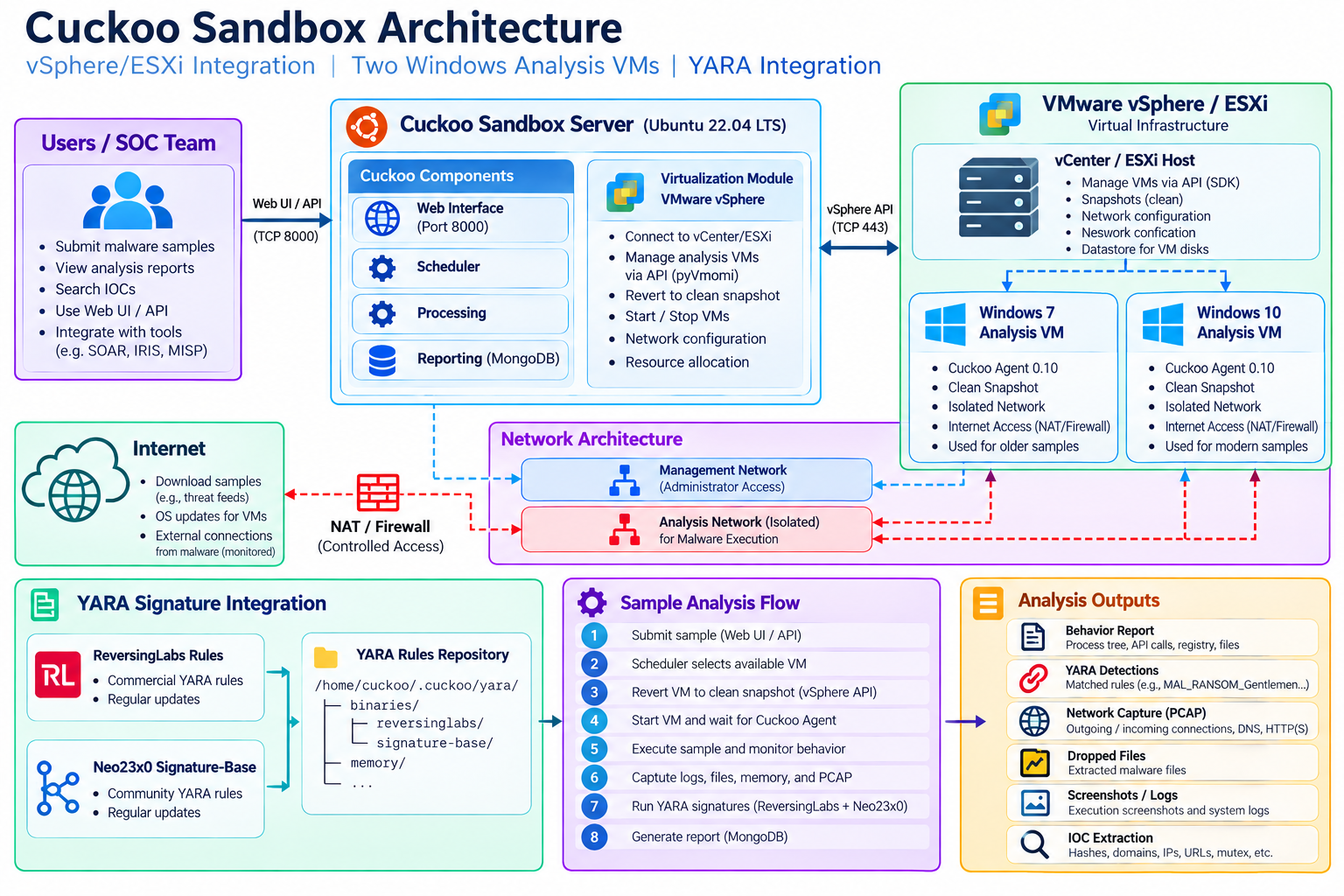
This article records the actual troubleshooting and validation outcomes from a legacy lab. It is not a recommendation to deploy Cuckoo 2.x as a new production service. Document-analysis support and vSphere remote control remained incomplete.
1. Objective
The objective was to validate an automated malware-analysis pipeline: accept a sample, let Cuckoo ask VMware vSphere to manage a Windows guest, revert to a clean snapshot, communicate with Cuckoo Agent, execute the sample, collect telemetry, run YARA, and produce a web/JSON report.
2. Architecture and prerequisites
| Component | Observed configuration | Role |
|---|---|---|
| Cuckoo host | Ubuntu/Linux; Cuckoo 2.0.7 in Python 2.7 virtualenv | Scheduler, analyzer coordination, processing and UI. |
| vSphere | HTTPS/443 endpoint | VM lifecycle and snapshot operations. |
| Windows 7 | win7; label Cuckoo-Win7; 10.250.50.20 | Analysis guest. |
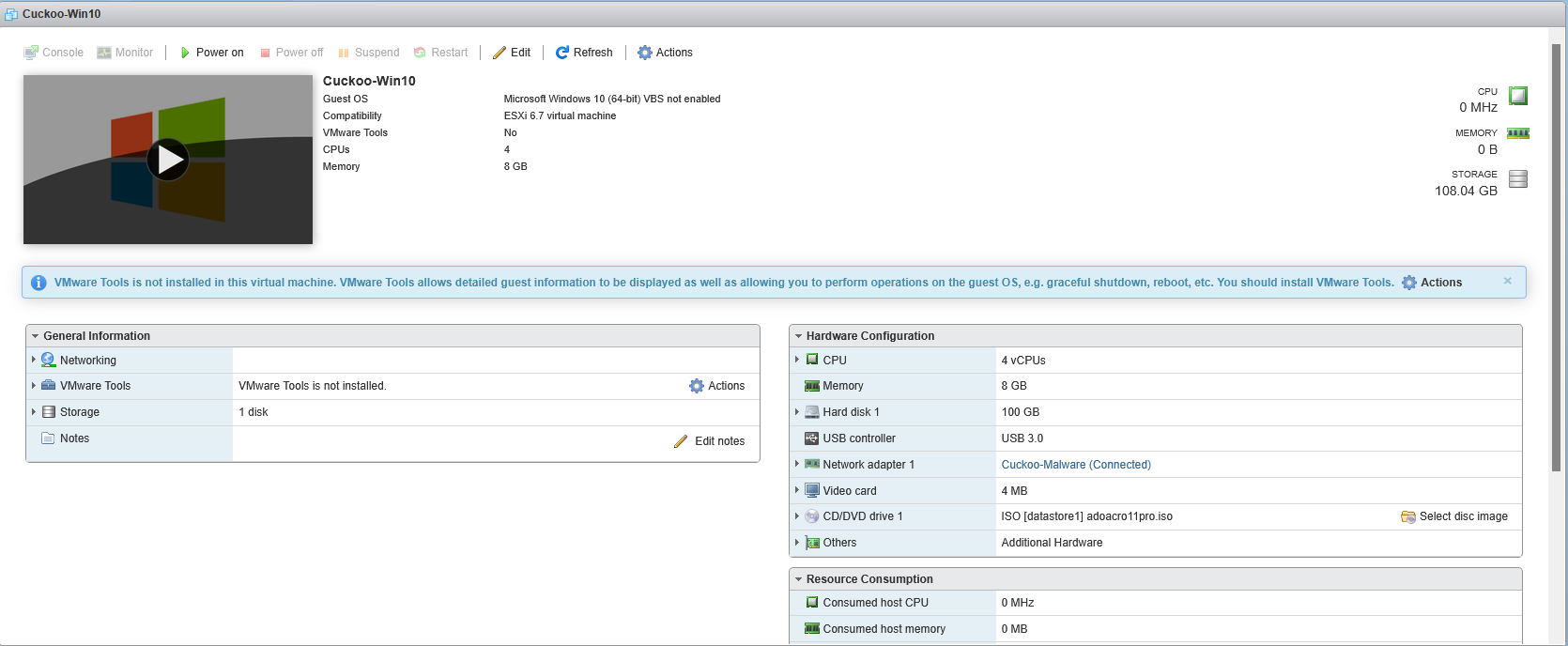
| Windows 10 | win10; label Cuckoo-Win10; 10.250.50.30 | Analysis guest. |
| Result server | 10.250.50.10:2042 | Receives guest telemetry. |
| Network capture | ens192 | tcpdump interface in this lab. |
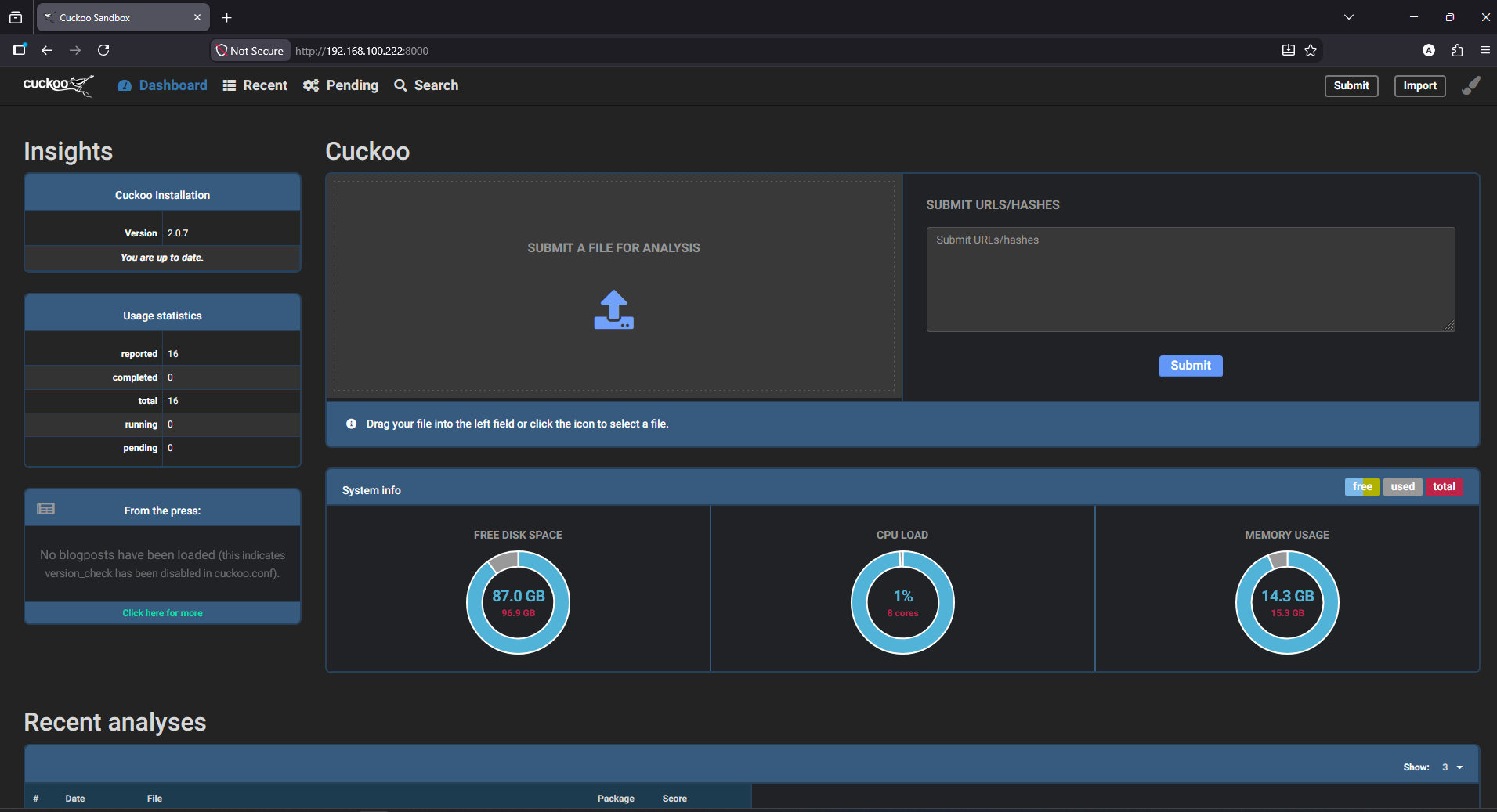
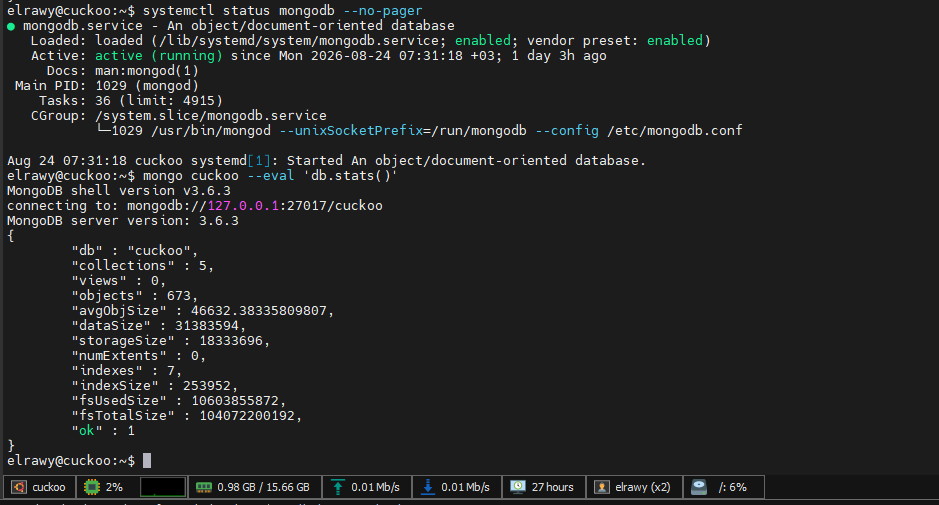
| Reporting | MongoDB 3.6.3; Django 1.8.4; port 8000 | Persist and review reports. |
| YARA | Python binding 3.6.3; system CLI 3.7.1 | Rule matching and validation. |
These host/guest values reflect the lab output. Replace them with your own topology and consider redacting internal IP ranges before publication.
3. Configure the two vSphere machines
The configuration file was ~/.cuckoo/conf/vsphere.conf. The machine identifiers in machines correspond to configuration section names; each label must match the VM name Cuckoo should control.
[vsphere]
host = <VSPHERE_HOST>
port = 443
user = <VSPHERE_SERVICE_ACCOUNT>
pwd = <STORE_SECRET_SECURELY>
machines = win7,win10
interface = ens192
unverified_ssl = yes

[win7]
label = Cuckoo-Win7
platform = windows
snapshot = clean
ip = 10.250.50.20
interface = ens192
resultserver_ip = 10.250.50.10
resultserver_port = 2042
tags = 64bit

[win10]
label = Cuckoo-Win10
platform = windows
snapshot = clean
ip = 10.250.50.30
interface = ens192
resultserver_ip = 10.250.50.10
resultserver_port = 2042
tags = 64bit
The real service-account password is intentionally omitted; it appeared in a terminal excerpt during troubleshooting. Rotate it if it was exposed beyond an approved administrative channel. Also note that unverified_ssl = yes disables certificate verification in this legacy configuration; use a trusted certificate for hardened deployments.
Configuration values were inspected with:
grep -E '^\[vsphere\]|^machines|^\[win7\]|^label|^\[win10\]' ~/.cuckoo/conf/vsphere.conf
cat ~/.cuckoo/conf/vsphere.conf | grep -v '^#' | grep -v '^$'
A separate libvirt ESX-driver diagnostic was used to list snapshots; it should not be mistaken for Cuckoo's internal vSphere connection:
virsh -c "esx://<VSPHERE_USER>@<VSPHERE_HOST>/?no_verify=1" snapshot-list "Cuckoo-Win7"
virsh -c "esx://<VSPHERE_USER>@<VSPHERE_HOST>/?no_verify=1" snapshot-list "Cuckoo-Win10"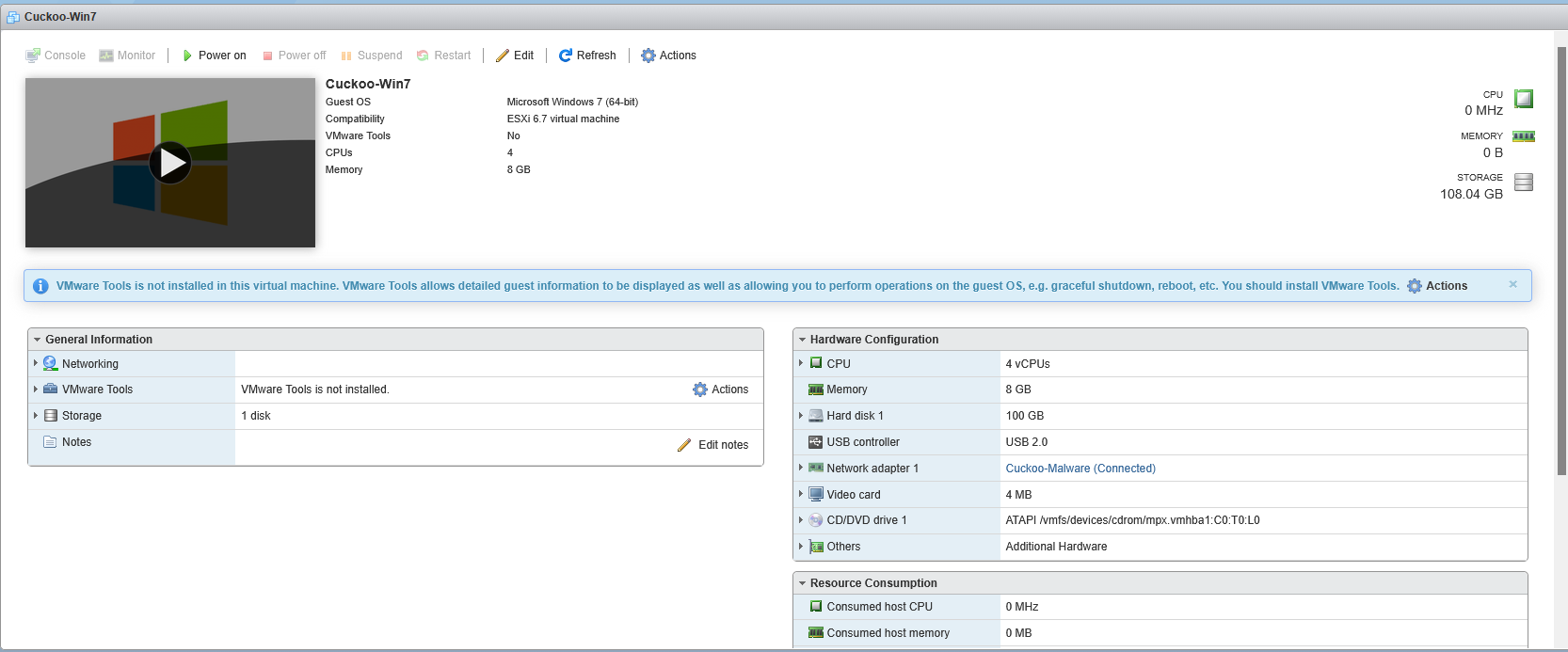
4. Validate the analysis lifecycle
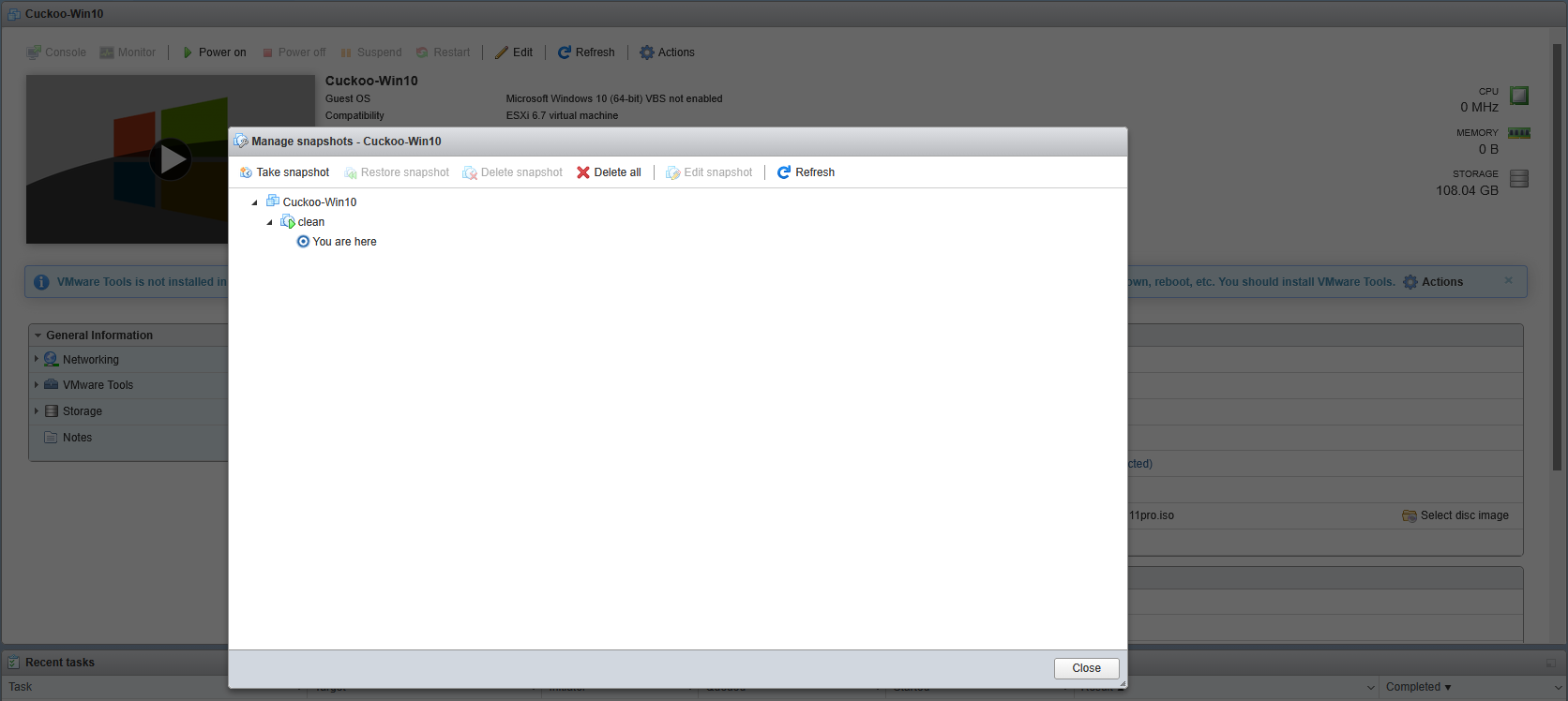
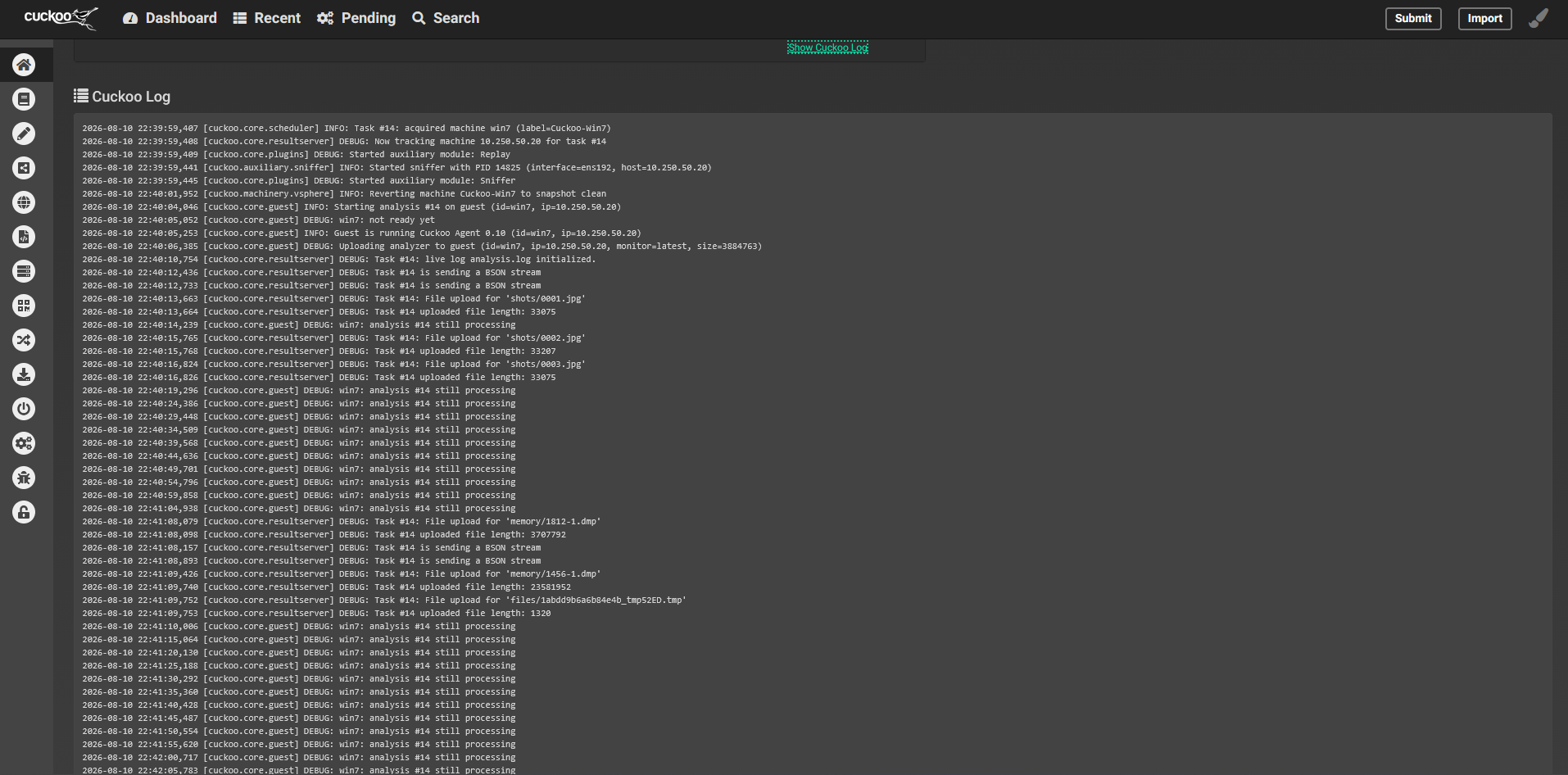
The useful proof was the scheduler/guest log sequence. A successful task acquired the VM, reverted the clean snapshot, detected Cuckoo Agent 0.10, uploaded the analyzer, received guest output, and powered off the guest after completion.
INFO: Using "vsphere" as machine manager
INFO: Task #7: acquired machine win10 (label=Cuckoo-Win10)
INFO: Reverting machine Cuckoo-Win10 to snapshot clean
INFO: Guest is running Cuckoo Agent 0.10
INFO: win10: analysis completed successfully
INFO: Powering off virtual machine Cuckoo-Win10
INFO: Task #7: reports generation completed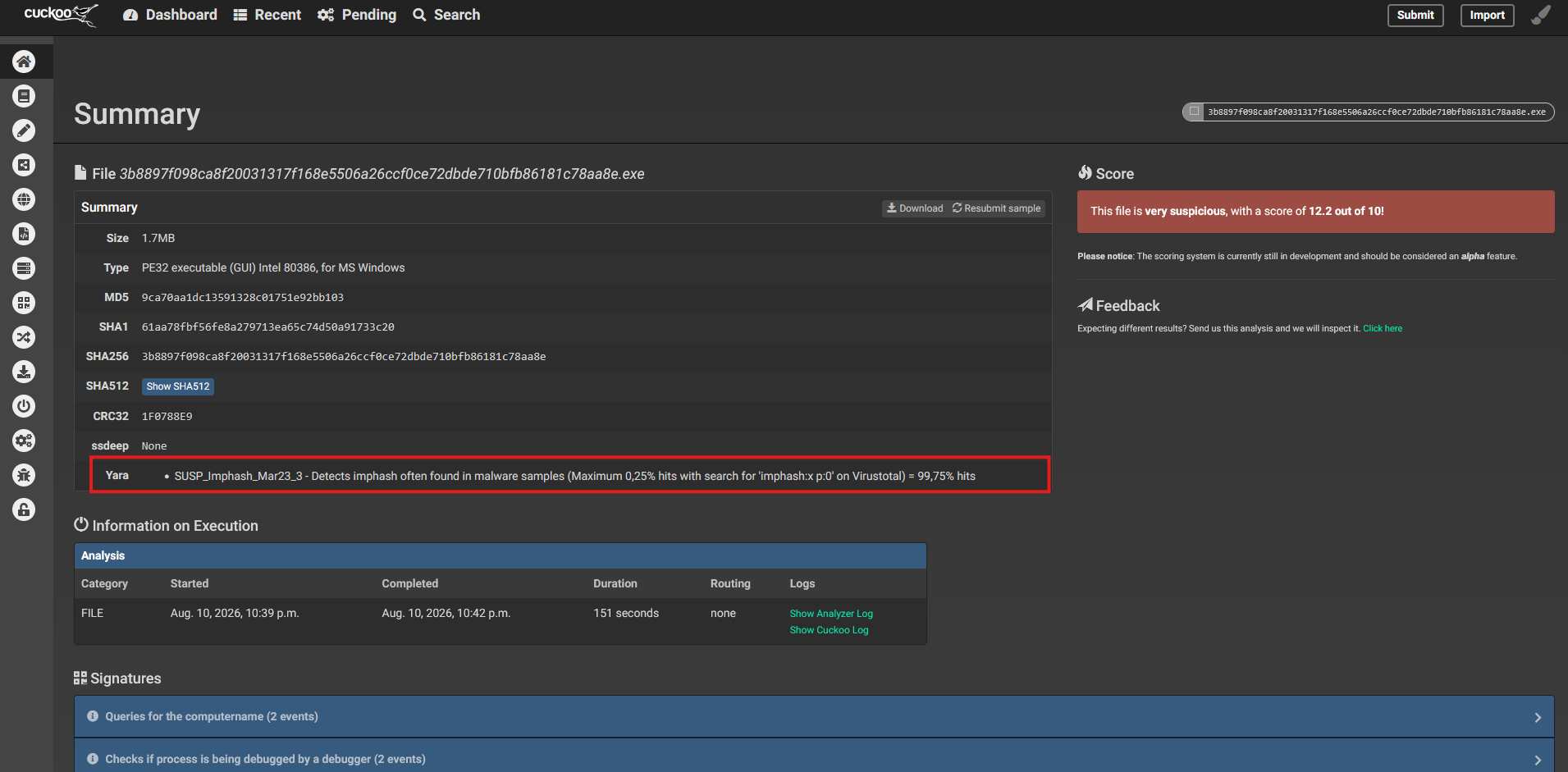
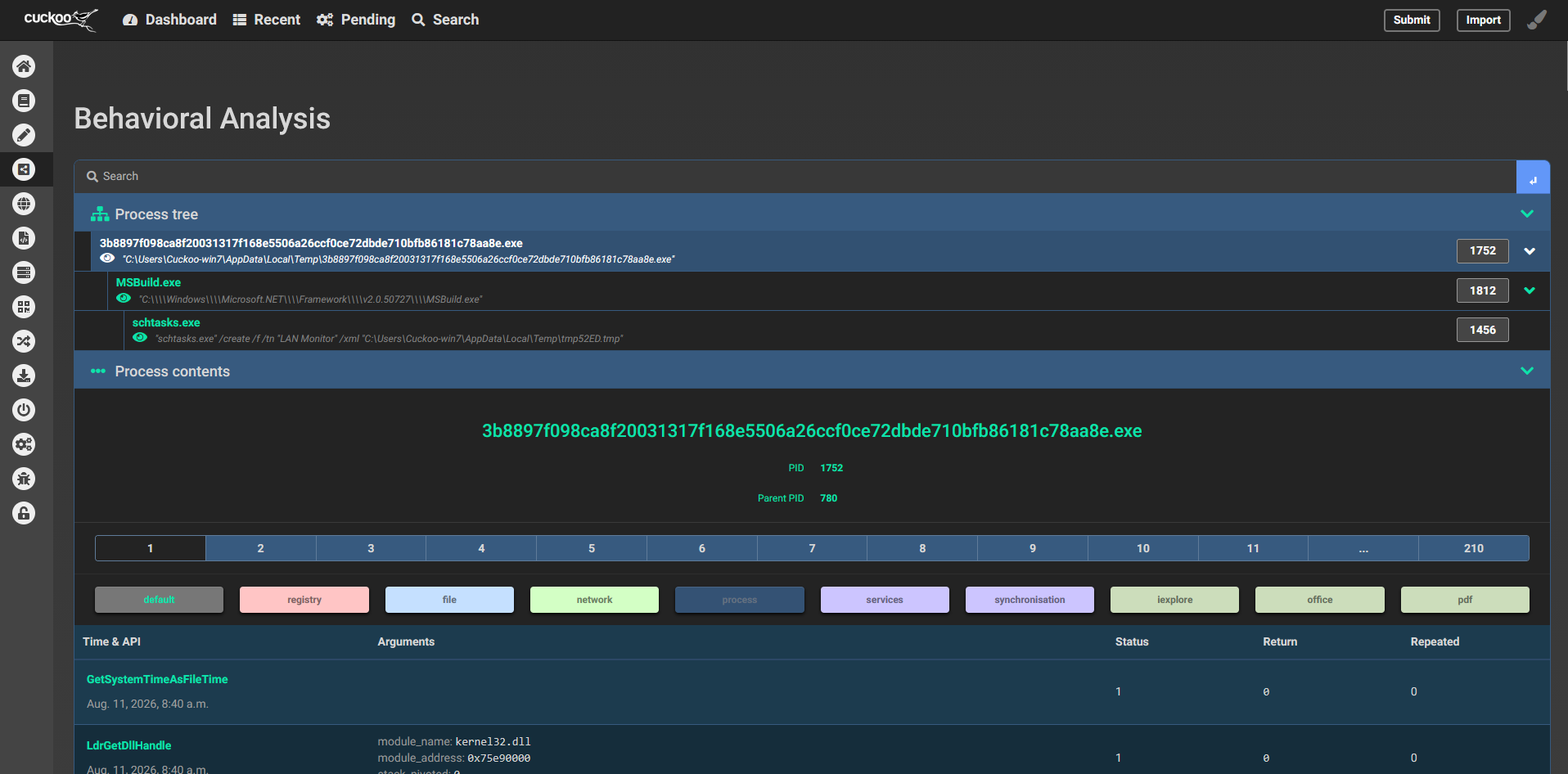
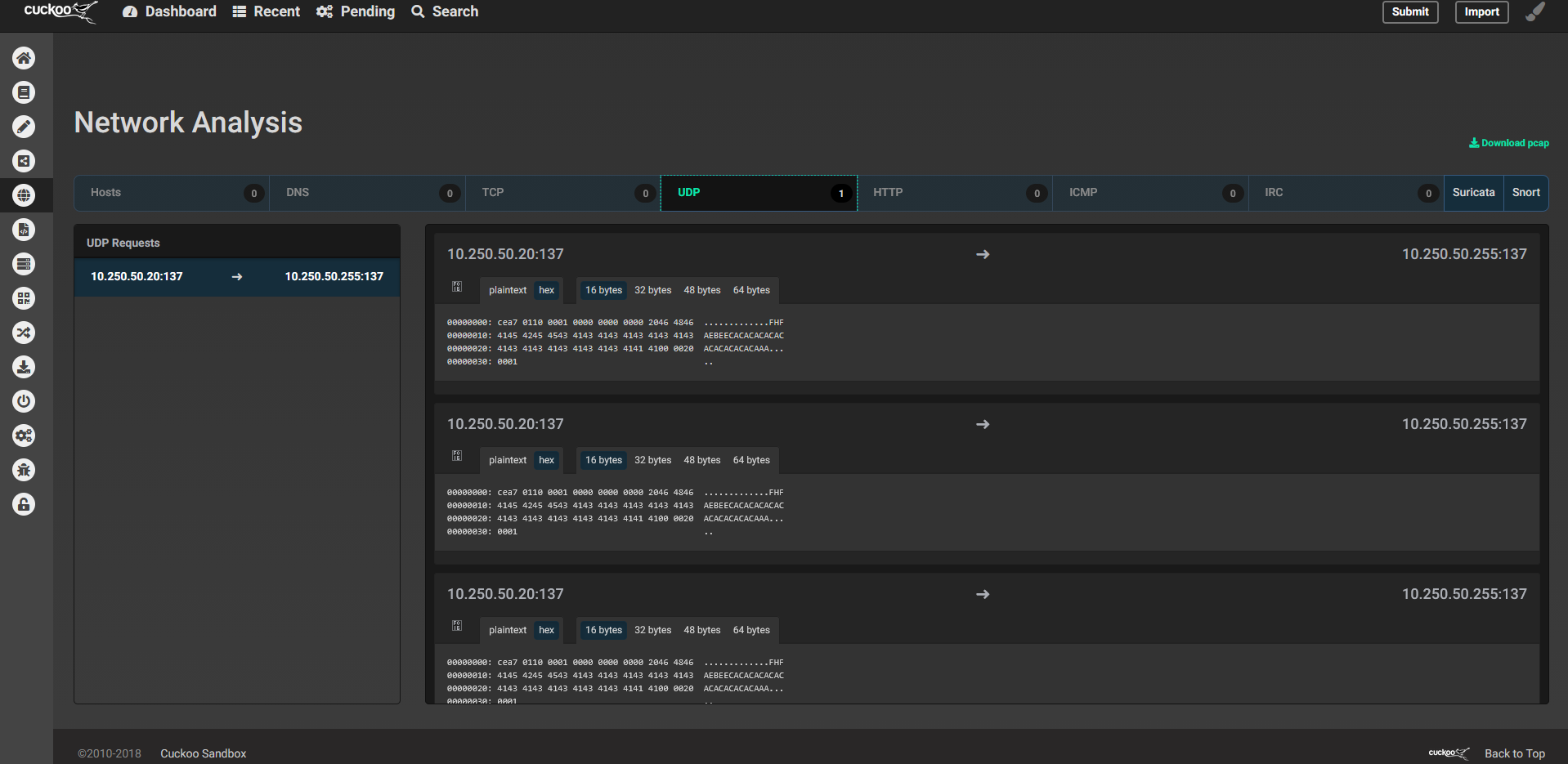
The completed Task #7 generated analysis.log, cuckoo.log, dump.pcap, files.json, BSON logs, reports/report.json, screenshots, task.json, and other artifacts under ~/.cuckoo/storage/analyses/7/.
Run one scheduler and one UI
A second Web UI launch failed with Error: That port is already in use; several detached screen sessions were also present. Inspect processes and listeners before starting another instance:
screen -ls
ps aux | grep '[c]uckoo'
ss -lntp | grep -E ':8000|:2042'
For manual lab operation, run the engine and web interface in separate sessions, as the dedicated cuckoo user:
# Session 1
su - cuckoo
source ~/cuckoo-env/bin/activate
screen -S cuckoo
cuckoo
# Detach with Ctrl+A, then D

# In a second SSH session
su - cuckoo
source ~/cuckoo-env/bin/activate
screen -S cuckoo-web
cuckoo web --host 0.0.0.0 --port 8000
# Detach with Ctrl+A, then D
Keep a single scheduler for the configured VM pool. MongoDB and guacd are separate systemd services, not extra Cuckoo screens.
5. Troubleshoot PCAP creation: AppArmor
Early tasks completed without a usable PCAP. Kernel audit logs showed AppArmor—not just Unix ownership—denying tcpdump permission to create dump.pcap:
apparmor="DENIED" operation="mknod"
profile="/usr/sbin/tcpdump"
name="/home/cuckoo/.cuckoo/storage/analyses/3/dump.pcap"
The local profile include was /etc/apparmor.d/local/usr.sbin.tcpdump. After correcting a syntax error and allowing the required storage path, the profile was reloaded:
/home/cuckoo/.cuckoo/storage/ r,
/home/cuckoo/.cuckoo/storage/analyses/ rw,
/home/cuckoo/.cuckoo/storage/analyses/** rw,
apparmor_parser -r /etc/apparmor.d/usr.sbin.tcpdump
tcpdump -i ens192 -c 3 -w /home/cuckoo/.cuckoo/storage/analyses/tcpdump-test.pcapThe direct test reported 3 packets captured, 3 packets received by filter, and 0 packets dropped by kernel. A later Cuckoo analysis also generated a task-level dump.pcap. Keep AppArmor enabled and add narrow path permissions rather than disabling the profile.
6. Integrate external YARA rules
The Cuckoo startup code walked these directories under its YARA root: binaries, urls, memory, scripts, shellcode, dumpmem, and office. Rule files for executable samples were kept under the active yara/binaries tree.
cd /tmp
git clone --depth 1 https://github.com/reversinglabs/reversinglabs-yara-rules.git
git clone --depth 1 https://github.com/Neo23x0/signature-base.git

find /tmp/reversinglabs-yara-rules -type f \( -name "*.yar" -o -name "*.yara" \) | wc -l
find /tmp/signature-base/yara -type f \( -name "*.yar" -o -name "*.yara" \) | wc -l
The clone counts were 310 ReversingLabs rule files and 750 Signature-Base files. The CLI compatibility test recorded:
| Source | Files tested | Compatible in CLI test | Failed |
|---|---|---|---|
| ReversingLabs | 310 | 310 | 0 |
| Neo23x0 Signature-Base | 750 | 718 | 32 |
These results describe that test run, not a general guarantee. The system YARA CLI was 3.7.1 while Cuckoo's Python binding reported 3.6.3, so the CLI pass alone did not prove compatibility inside Cuckoo. Test rules with the same Python binding and provide any required external variables. Some Signature-Base rules depend on variables supplied by upstream scanning tools.
The files were copied into a nested directory such as ~/.cuckoo/yara/binaries/signature-base/tmp/signature-base/yara/. Cuckoo's code recursively walks category directories, but a clean, documented layout is easier to maintain. Verify the startup log after changing rule paths and avoid blindly overwriting bundled rules.

7. Validate detection with a recent ransomware sample
A Windows PE sample associated with The Gentlemen ransomware was submitted through the Cuckoo Web Interface. The report displayed the YARA match MAL_RANSOM_Gentlemen_Jun26_1, described as detecting The Gentlemen ransomware Windows locker (Storm-2697), a self-propagating Go-based encryptor.
This is direct evidence that the locally loaded family rule matched the submitted sample. The same report gave a Cuckoo score of 2.0/10 and displayed additional behavioral signatures, including command-line output and Windows API use associated with cryptographic key generation. The score is not a probability and should not override a family-specific YARA match; interpret static detections, behavioral signatures, and network artifacts together.
An earlier benign calc.exe task completed successfully, processed 542 Cuckoo signatures, matched antivm_disk_size, checks_debugger and has_pdb, and generated screenshots, JSON report artifacts and a PCAP. EICAR testing was not a clean behavioral validation: Windows blocked the file during a move operation with error 225. That indicates guest antivirus interference, not successful dynamic analysis of EICAR.
8. Known issues and their status
| Issue | What was observed | Current understanding |
|---|---|---|
| Snapshot state confusion | Snapshot listing and startup checks disagreed about the powered-on state. | Later tasks successfully reverted the configured clean snapshot. The exact corrective snapshot operation was not captured. |
| No machine matched criteria | Early tasks logged No machines match selection criteria. | Later tasks acquired both configured guests. The specific fix for the initial selection error was not recorded. |
| PCAP permission denied | AppArmor denied tcpdump creating the capture file. | Local profile syntax was corrected and reloaded; direct capture and later Cuckoo PCAP generation succeeded. |
| Port 8000 already in use | The Django development server was already listening and multiple screen sessions existed. | Check listeners/processes before launching a duplicate UI or engine. |
| Control endpoint / 404 | Scheduler logged that remote control was not implemented for the vsphere machinery. | guacd ran on 127.0.0.1:4822, but installing it did not add vSphere machinery support. Use the vSphere console for interactive access in this setup. |
| PDF / Office analysis | The Cuckoo PDF package searched for Adobe Reader. Office 2016 setup on Windows 7 failed because Universal CRT update KB2999226 failed to install. | Document analysis remained in progress; do not mark it operational until guest apps and analysis packages are tested end to end. |
9. Security considerations
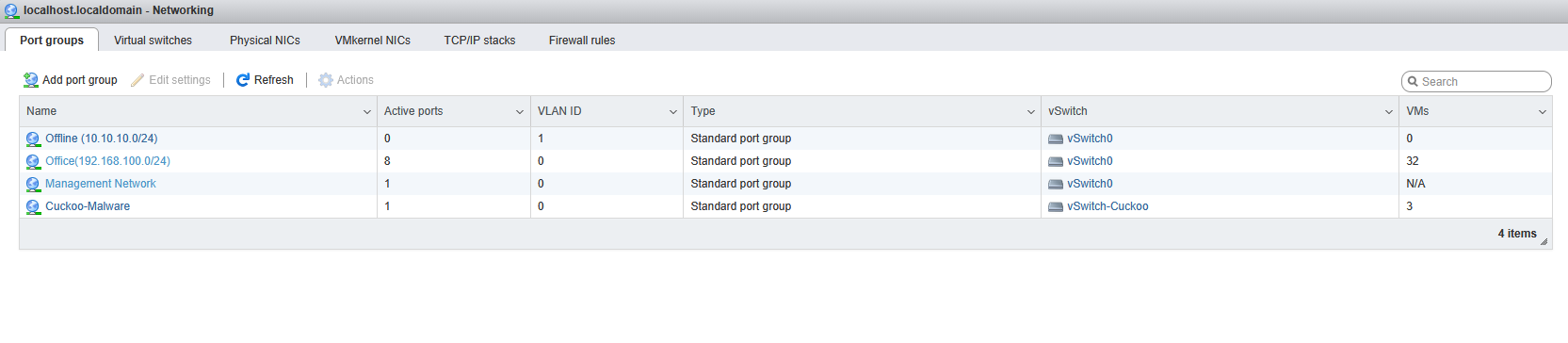
- Use a dedicated isolated analysis network and validate that guests cannot reach production or hypervisor management endpoints.
- Keep vSphere credentials out of shell history, screenshots, and public repositories; rotate any exposed real secret.
- Prefer verified TLS certificates instead of
unverified_ssl = yes. - Run Cuckoo under the unprivileged
cuckooaccount and maintain a single scheduler instance for the configured machine pool. - Keep AppArmor enabled and grant only the required tcpdump storage access.
- Only handle potentially destructive samples in an authorized, isolated lab with clean snapshots and confirmed network containment.
- Cuckoo 2.0.7, Python 2.7, and Django 1.8.4 are legacy components; this is a record of a historical lab, not a modern production build recommendation.
10. Key lessons
- Machine state in the virtualization UI is not enough: check scheduler logs, snapshot reversion, Agent communication and successful report generation.
- Mandatory access control can block file creation even when Unix permissions look correct; correlate application errors with AppArmor audit logs.
- A rule compiling with the system CLI does not prove it works in Cuckoo's Python binding.
- Rule count is not efficacy. A confirmed family-specific rule match is stronger detection evidence than a large rule inventory.
- Keep YARA identification separate from Cuckoo's legacy numeric score.
- Be transparent about remaining gaps: vSphere remote control and PDF/Office execution were not fully validated.
11. References
- Cuckoo legacy documentation — Configuration
- Cuckoo legacy documentation — Host requirements
- YARA — Command-line usage
- ReversingLabs YARA rules
- Neo23x0 Signature-Base
- Microsoft Security Blog — The Gentlemen ransomware (28 May 2026)
This lab used obsolete dependencies and legacy Cuckoo documentation. Re-check upstream compatibility, maintenance status, security controls, rule licenses, and rule variables before reproducing these steps.
Working on a sandbox, YARA detection validation, or SOC investigation workflows?
Contact me to discuss Cuckoo-style analysis workflows, vSphere orchestration, rule validation, and detection engineering.